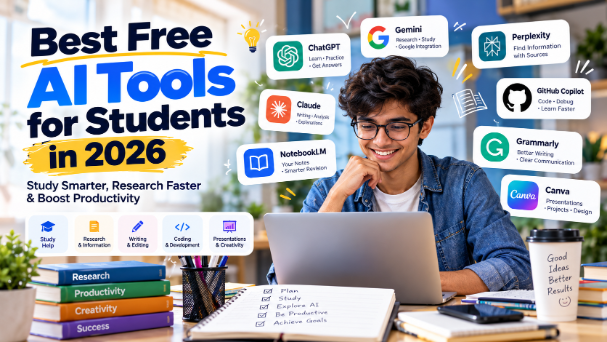
AI tools have become part of everyday student life. Whether you are revising for exams, writing a paper, building a presentation, or learning to code, there is likely a free tool that can help. The challenge is knowing which ones are genuinely useful, which are actually free, and which ones are just marketing hype.
This guide covers the best free AI tools for students across every major study task. For each tool, you will find what it does, how the free plan works, and where it falls short. Always check official websites for current limits and features, since these change frequently.
What Are the Best Free AI Tools for Students?
If you need to understand a difficult topic, ChatGPT, Claude, or Gemini are the strongest general assistants. For working with your own notes and PDFs, NotebookLM (now integrated into Gemini) is the best source-grounded tool. For research with citations, Perplexity and Elicit lead the pack. For writing and grammar, Grammarly and QuillBot are the standard choices. For presentations, Gamma and Canva produce slides quickly. For coding, GitHub Copilot is free for verified students. For exam practice, Quizlet and Study Mode in ChatGPT generate quizzes from your material.
There is no single best tool. The right choice depends on what you are trying to accomplish.
General-Purpose AI Assistants
These are the tools you will use most often. They handle questions, explanations, brainstorming, and drafting across almost any subject.
ChatGPT — Best for Understanding Concepts and Daily Q&A
What it does: ChatGPT is OpenAI's conversational AI assistant. You can ask it to explain concepts, summarise material, generate study outlines, practise languages, and analyse files you upload.
Why students find it useful: When you are stuck on a topic, ChatGPT can rephrase explanations in simpler language. It can also quiz you, run through practice problems, and help you structure essays.
Best uses: Understanding concepts, brainstorming, summarising, practising Q&A, drafting, and coding help.
Free plan: ChatGPT has a free tier with usage limits. It includes access to a capable model and a limited number of Deep Research reports per month. OpenAI also launched a separate, safety-focused experience for teenagers aged 13–17 with parental controls and a Study Mode designed to guide understanding rather than give direct answers.
Example student use: A student preparing for a history exam could ask ChatGPT to generate a timeline of key events, then request practice questions on each period and check their answers.
Pros: Versatile; strong at explanations and brainstorming; handles file uploads for analysis.
Limitations: Free tier has message caps; can produce plausible but incorrect information; not a substitute for reading primary sources.
Best for: Students who want one general tool for everyday questions and study support.
Claude — Best for Long Documents and Careful Reasoning
What it does: Claude is Anthropic's conversational AI. It handles long inputs well, making it useful for analysing entire papers, book chapters, or lecture transcripts.
Why students find it useful: If you have a 40-page research paper or a dense textbook chapter, Claude can work through the whole document and answer detailed questions about it.
Best uses: Analysing long papers, nuanced explanations, critical feedback, structured writing, coding help.
Free plan: Claude has a free tier with rate limits but no time expiry.
Example student use: A literature student could paste an entire short story into Claude and ask for a thematic analysis with supporting quotes.
Pros: Excellent with long documents; strong reasoning and writing quality.
Limitations: Free tier is rate-limited; not as widely integrated with other apps as Gemini or ChatGPT.
Best for: Students working with long texts, research papers, or complex arguments.
Gemini — Best for Google Workspace Integration and Student Offers
What it does: Gemini is Google's AI assistant. It is multimodal (handles text, images, audio) and integrates with Google apps like Docs, Sheets, and Calendar.
Why students find it useful: Google has rolled out substantial student offerings. Eligible college students in India can get Google AI Plus free for one year, which includes higher Gemini usage limits, 400GB of storage, and study-focused tools. Features include Study Notebooks (upload lecture notes and generate study plans), practice quizzes for JEE and NEET, and interactive 3D models for concepts like DNA.
Best uses: Quick questions, image analysis, research planning, Google Workspace integration, exam preparation for JEE/NEET.
Free plan: Gemini has a free tier. The student offer (AI Plus) is free for one year for eligible college students, including in India.
Example student use: An engineering student could upload lecture slides to Gemini, ask it to create a study plan, and then use the practice quiz feature to test understanding before an exam.
Pros: Strong Google integration; generous student offer in India; multimodal capabilities.
Limitations: Availability of student offers varies by country and institution; verify eligibility on the official student page.
Best for: Students already in the Google ecosystem, and Indian students preparing for competitive exams.
Research Tools
These tools help you find, read, and organise academic sources. They are not a replacement for reading papers yourself.
Perplexity — Best for Cited Research and Fact-Checking
What it does: Perplexity is an AI-powered search engine that answers questions with cited sources. Instead of a list of links, it synthesises an answer and shows where each claim comes from.
Why students find it useful: For essays and research projects, Perplexity gives you a starting point with verifiable sources. You can check each citation and read the original.
Best uses: Finding sources, fact-checking, current events research, verifying claims.
Free plan: Perplexity has a free tier with limited Pro searches. Student discounts are available.
Example student use: A student writing about climate policy could ask Perplexity for recent studies on carbon pricing, then follow the citations to the original papers.
Pros: Always cites sources; good for current information; reduces time spent searching.
Limitations: Citations still need verification; free tier limits Pro searches.
Best for: Students who need cited, verifiable sources quickly.
NotebookLM (Gemini Notebook) — Best for Working with Your Own Sources
What it does: NotebookLM lets you upload your own sources — PDFs, lecture notes, slides, YouTube videos — and then ask questions that are answered only from those sources. It generates study guides, mind maps, and even podcast-style audio overviews.
Why students find it useful: This is the safest AI tool for studying because it does not pull from the open web. Everything it says is grounded in what you uploaded.
Best uses: Understanding papers, generating summaries, creating study resources, revision.
Free plan: NotebookLM is free with a Google account. The free tier includes a substantial number of notebooks and sources per notebook.
Example student use: A medical student could upload all lecture PDFs for a module and generate a set of practice questions and summaries for revision.
Pros: Source-grounded (no hallucinations from outside sources); generates audio overviews; free tier is generous.
Limitations: Only works with what you upload; not a general-purpose assistant.
Best for: Students who want AI help strictly grounded in their course materials.
Elicit — Best for Literature Review and Systematic Research
What it does: Elicit is an AI research assistant designed for academic literature review. It searches over 138 million papers and extracts key findings, methodology, and results into structured tables.
Why students find it useful: For dissertations, literature reviews, and research projects, Elicit speeds up the process of finding and comparing relevant studies.
Best uses: Systematic reviews, finding papers, extracting findings, research synthesis.
Free plan: Elicit has a free plan covering core searches and summaries. Paid tiers unlock deeper analysis.
Example student use: A psychology student could ask Elicit for studies on sleep and memory, then compare their methodologies and findings in a table.
Pros: Specialised for research; structured output; large paper database.
Limitations: Free plan is limited; still requires you to read the papers.
Best for: Students writing literature reviews or research papers.
Connected Papers and ResearchRabbit — Best for Visual Literature Mapping
What they do: Both tools create visual graphs of related papers. Enter a seed paper, and they show you what else is connected based on citations and co-citation.
Why students find it useful: When you are new to a field, these tools help you see the landscape of research quickly.
Best uses: Literature mapping, discovering related work, understanding a new field.
Free plan: Connected Papers offers 5 graph generations per month on the free plan. ResearchRabbit has a free plan with limited searches.
Example student use: A PhD student starting a new project could enter a key paper and use ResearchRabbit to find the broader citation network.
Pros: Visual and intuitive; surfaces papers keyword search might miss.
Limitations: Free tiers are limited; best used alongside traditional search.
Best for: Students beginning a research project in an unfamiliar field.
Writing and Grammar Tools
These tools help you improve your writing. They do not write for you — and you should not submit AI-generated text as your own work where academic rules prohibit it.
Grammarly — Best for Grammar, Clarity, and Tone
What it does: Grammarly checks grammar, spelling, punctuation, and clarity. It also suggests tone adjustments and can help make writing more concise.
Why students find it useful: For essays, reports, and emails, Grammarly catches errors you might miss and suggests improvements.
Best uses: Proofreading, grammar checking, clarity, tone adjustment.
Free plan: Grammarly has a free tier covering basic grammar and spelling checks. Premium features include advanced suggestions and plagiarism detection.
Example student use: A student finishing a dissertation chapter could run it through Grammarly to catch consistency errors before submission.
Pros: Works across apps and browsers; catches errors reliably.
Limitations: Free tier is basic; premium features require a subscription.
Best for: All students who write essays, reports, or emails.
QuillBot — Best for Paraphrasing and Summarising
What it does: QuillBot paraphrases text, summarises long passages, and checks grammar. It is useful for rewording sources in your own voice.
Why students find it useful: When you understand a source but want to express it differently, QuillBot offers alternative phrasings.
Best uses: Paraphrasing, summarising, grammar checking.
Free plan: QuillBot has a free tier with limited paraphrasing modes and summariser word limits.
Example student use: A student could paste a dense paragraph from a source and ask QuillBot to suggest a simpler paraphrase, then edit it further.
Pros: Fast paraphrasing; helpful for summarising.
Limitations: Free tier limits modes and word counts; paraphrased text still needs your own editing.
Best for: Students working with source material who want to rephrase accurately.
Presentation Tools
Gamma — Best for Generating Presentations from Prompts
What it does: Gamma creates presentations from a text prompt. You describe the topic and desired style, and it generates slides you can edit.
Why students find it useful: For class presentations, Gamma produces a structured deck quickly, letting you focus on content rather than formatting.
Best uses: Creating slide decks, outlining presentations, visual ideas.
Free plan: Gamma's free plan allows a limited number of presentations (typically around 8–10).
Example student use: A business student could prompt Gamma with "a 10-slide presentation on supply chain resilience in Indian manufacturing" and edit the result.
Pros: Fast; produces visually coherent slides; editable output.
Limitations: Free plan is limited; AI-generated slides need review for accuracy and design fit.
Best for: Students who need presentations quickly and want a starting point.
Canva — Best for Design and Visual Presentations
What it does: Canva is a design platform with AI features. It offers templates for presentations, posters, social media graphics, and more.
Why students find it useful: Canva handles the visual side of presentations without design expertise.
Best uses: Presentation design, posters, infographics, visual aids.
Free plan: Canva has a free tier with thousands of templates and basic AI features. Canva for Education is free for eligible students and teachers.
Example student use: A student could use Canva to design a research poster with charts and images from their data.
Pros: Huge template library; easy to use; education plan available.
Limitations: Some AI features and premium templates require paid plans.
Best for: Students who need polished visual materials.
Coding Tools
GitHub Copilot — Best for Learning to Code with AI Assistance
What it does: GitHub Copilot is an AI coding assistant that suggests code completions, explains concepts, debugs errors, and answers coding questions inside your IDE.
Why students find it useful: It is free for verified students through the GitHub Student Developer Pack. It helps beginners learn syntax and best practices by suggesting completions.
Best uses: Learning to code, debugging, understanding errors, writing test cases.
Free plan: Free for all verified educators and learners aged 13+. Students can apply through GitHub Education.
Example student use: A beginner learning Python could write a function and ask Copilot to explain what it does, or use suggestions to complete a loop correctly.
Pros: Free for students; integrates directly into VS Code; helps with debugging and learning.
Limitations: Suggestions need review; students should understand code rather than blindly accept completions.
Best for: Students learning programming who want AI assistance in their editor.
Scrappy — Best for a Free, Context-Aware Coding Assistant
What it does: Scrappy is a free coding assistant that orchestrates free-tier LLM providers (Cerebras, Groq, Gemini) to give you a context-aware chat and agent mode that understands your entire codebase.
Why students find it useful: It offers 23,000+ free AI coding requests per day with no subscription or credit card required, and it works for students in regions where payments are blocked.
Best uses: Learning to code with AI help, debugging, understanding a codebase, agent mode for multi-step tasks.
Free plan: Completely free. Uses providers with generous free tiers. No subscription or credit card required.
Example student use: A student building a small project could use Scrappy's agent mode to add input validation to a form, reviewing each proposed change as a diff before applying it.
Pros: Truly free; no geographic restrictions; context-aware; shows diffs before applying changes.
Limitations: Requires setting up API keys from free providers; less polished than commercial alternatives.
Best for: Students who want free coding help without subscriptions, especially in restricted regions.
Study and Exam Preparation Tools
Quizlet — Best for Flashcards and Practice Tests
What it does: Quizlet is a flashcard platform with a huge library of user-created sets. Its AI features can generate flashcards, practice tests, and study guides from your notes or PDFs.
Why students find it useful: Self-testing is one of the most effective study methods, and Quizlet makes it easy to create and review practice questions.
Best uses: Flashcards, practice tests, exam preparation, vocabulary.
Free plan: Quizlet has a free tier with ads. AI features are available but some are behind a paywall.
Example student use: A language student could upload vocabulary notes and generate flashcards, then use the practice test mode before an exam.
Pros: Huge existing library; effective for memorisation; AI generation from your notes.
Limitations: Free tier has ads; advanced AI features require subscription.
Best for: Students preparing for exams that require memorisation and recall.
Studygenie — Best for Turning Study Material into Quizzes
What it does: Studygenie lets you upload your study material and generates quizzes. For each wrong answer, it explains why the answer was wrong.
Why students find it useful: Instead of re-reading notes, you test yourself. The explanations for wrong answers help you learn from mistakes.
Best uses: Exam preparation, self-testing, active recall.
Free plan: Studygenie is free to use.
Example student use: A law student could upload case summaries and generate quizzes to test recall of key principles before an exam.
Pros: Free; explains wrong answers; encourages active learning.
Limitations: Accuracy depends on the quality of uploaded material; AI-generated questions may not match exam difficulty.
Best for: Students who want to test themselves rather than re-read notes.
Otter.ai — Best for Transcribing Lectures
What it does: Otter transcribes live lectures with speaker identification and summarises afterwards. It can join Zoom, Teams, and Google Meet sessions.
Why students find it useful: For students who struggle to take notes while listening, Otter captures the lecture so you can review it later.
Best uses: Lecture transcription, meeting notes, summarising.
Free plan: Otter has a free Basic plan with a limited number of transcription minutes per month.
Example student use: A student could have Otter transcribe a lecture, then skim the summary to identify key points they missed.
Pros: Real-time transcription; integrates with video platforms; summaries included.
Limitations: Free tier limits minutes; accuracy drops with accents, crosstalk, or poor acoustics.
Best for: Students who want a record of lectures they can review later.
How to Choose an AI Tool as a Student
Start with the task. If you need to understand a concept, use a general assistant. If you need to work with your own materials, use NotebookLM. If you need cited sources, use Perplexity or Elicit.
Check the free plan. "Free" can mean many things: completely free, free with usage limits, free trial, or free for students only. Always verify on the official website.
Watch for limits. Daily message caps, file upload limits, export restrictions, and watermarks are common. These change frequently.
Try before committing. Most tools have free tiers. Use them for a week on a real assignment before deciding if a paid plan is worth it.
How to Use AI Responsibly as a Student
AI is a learning assistant, not a replacement for learning.
Do not submit AI-generated work as your own where academic rules prohibit it. Policies vary by institution and assignment.
Verify everything. AI can generate plausible but incorrect information. Check facts, citations, and sources.
Use AI to understand, not to avoid understanding. If AI explains a concept, test yourself. If AI writes a draft, edit it yourself.
Protect your data. Do not upload personal, confidential, or sensitive information to AI tools without understanding their privacy policies.
Follow your institution's AI policy. If you are unsure whether AI use is allowed, ask your instructor.
Frequently Asked Questions
What are the best free AI tools for students?
The best tools depend on the task: ChatGPT, Claude, and Gemini for general understanding; NotebookLM for working with your own sources; Perplexity and Elicit for research; Grammarly for writing; Gamma for presentations; GitHub Copilot for coding; Quizlet for exam practice.
Are AI tools free for students?
Many have free tiers with limits. Some offer student-specific free plans, such as GitHub Copilot for verified students and Google AI Plus free for one year for eligible Indian college students. Always verify current offers.
Which AI tool is best for studying?
NotebookLM (Gemini Notebook) is strong for studying from your own materials because it only uses sources you upload. For general studying, ChatGPT or Gemini with study-focused prompts work well.
Which AI tools can help with homework?
General assistants like ChatGPT and Gemini can explain concepts and guide problem-solving. However, policies on AI use for homework vary by school and assignment. Use AI to learn, not to copy answers.
Can students use AI for assignments?
This depends on your institution's policy. Some allow AI with disclosure; others prohibit it. Always check your course guidelines.
Are AI tools safe for students?
Reputable tools are generally safe, but you should avoid sharing personal or sensitive information. Be aware of how each tool uses your data.
Can AI tools help with exam preparation?
Yes. Tools like Quizlet, Studygenie, and ChatGPT's Study Mode can generate practice questions and quizzes. Gemini's student tools include practice quizzes for exams like JEE and NEET.
What are the best AI tools for students in India?
Indian students can access all the global tools listed here. Google offers eligible college students in India Google AI Plus free for one year, including study notebooks, JEE/NEET practice quizzes, and 400GB storage. GitHub Copilot is free for verified students worldwide.
Final Thoughts
No single AI tool is perfect for every student. The best approach is to choose tools based on your specific task — understanding concepts, working with sources, writing, coding, or preparing for exams. Use the free tiers to test what works for you, and always treat AI as a learning assistant rather than a shortcut.
The goal is not to have AI do your work. The goal is to use AI to understand your work better, faster, and more deeply.