Running a small business often starts with simple tools. Customer details may be stored in Excel spreadsheets, leads may arrive through WhatsApp, follow-ups may be written in a notebook, and invoices may be managed separately. This approach can work when the business has only a few customers, but as the customer base grows, managing everything manually becomes difficult.
Important follow-ups can be missed, customer information can become scattered, sales opportunities can be forgotten, and employees may not know the latest status of a customer.
This is where a CRM system for small business can make a significant difference.
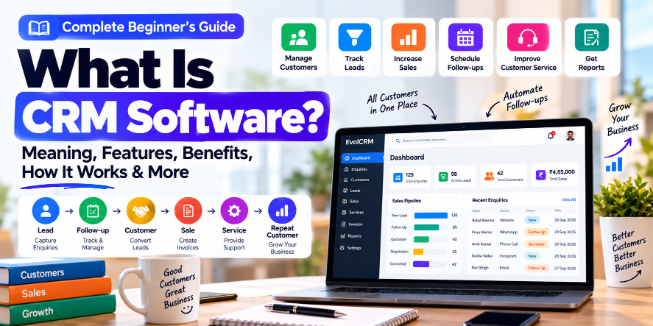
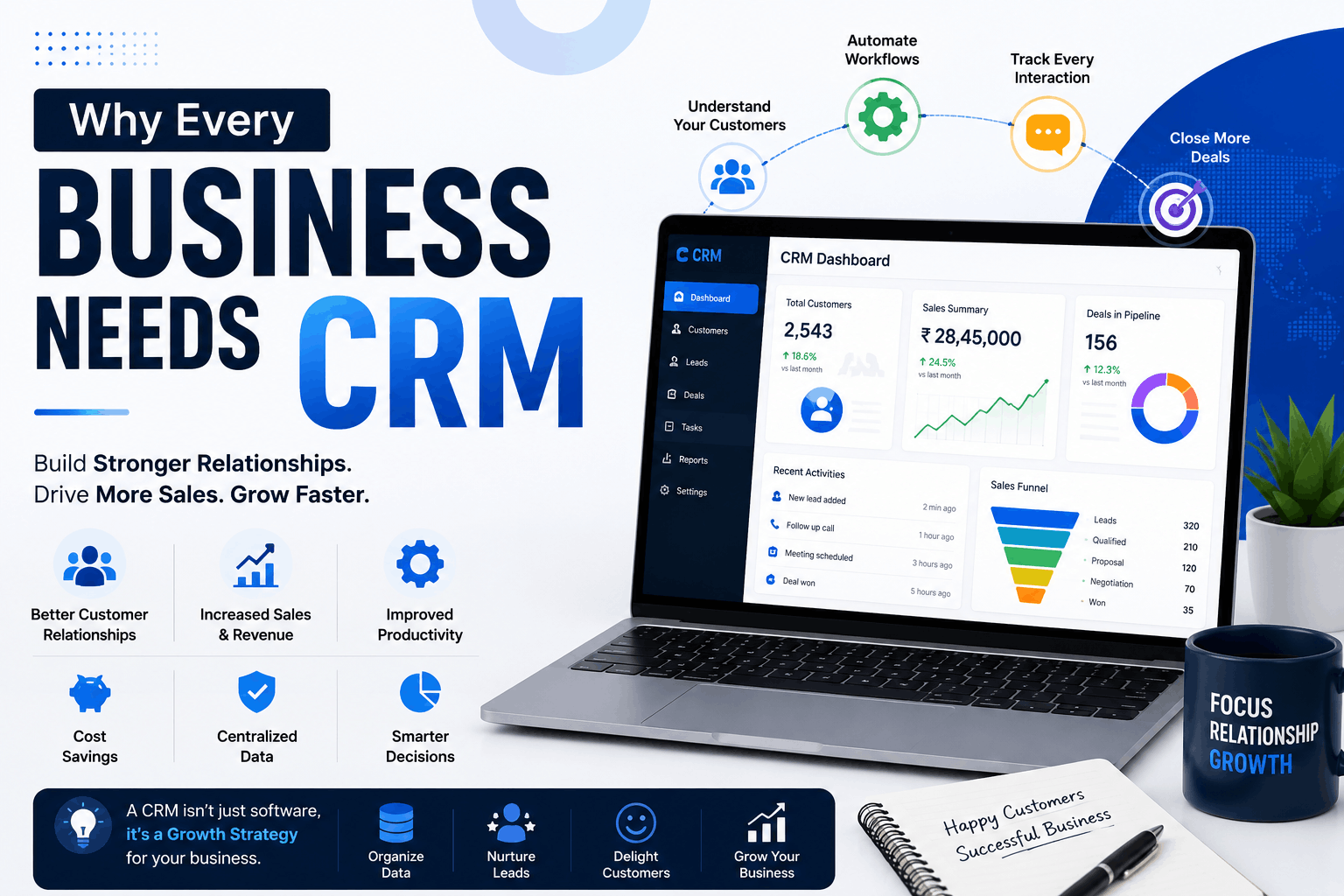
A Customer Relationship Management (CRM) system brings customer information, leads, follow-ups, sales activities, tasks, communication, and reports into one centralized platform.
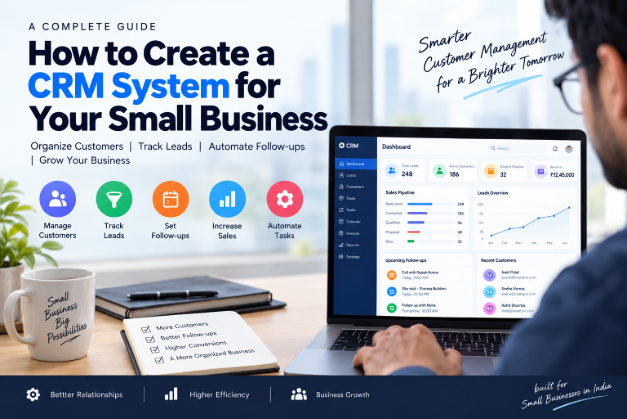
In this guide, we'll explain how to create a CRM system for your small business, what features you should consider, how much CRM development can cost, which technologies can be used, and whether you should choose ready-made CRM software or invest in custom CRM development.
What Is a CRM System?
CRM stands for Customer Relationship Management.
A CRM system is software that helps businesses organize and manage their interactions with existing and potential customers.
Instead of keeping customer information in different spreadsheets, notebooks, email accounts, and messaging applications, a CRM can store important information in one place.
For example, a customer record could contain:
- Customer name
- Phone number
- Email address
- Company name
- Address
- Lead source
- Previous purchases
- Service history
- Follow-up dates
- Payment information
- Assigned employee
- Notes
- Communication history
A CRM can also connect this information with business processes such as sales, customer support, service scheduling, invoicing, and follow-ups.
For a small business, this means employees can quickly understand who the customer is, what they need, what has already been done, and what needs to happen next.
Why Do Small Businesses Need a CRM?
A CRM isn't only useful for large companies. Small businesses can also benefit from centralized customer management.
1. Customer Management
A CRM keeps customer information organized in one database.
Instead of searching through multiple Excel files or WhatsApp conversations, employees can find a customer's information from a single customer profile.
2. Lead Tracking
Businesses receive leads from many sources, including:
- Website forms
- Google Business Profile
- Social media
- Phone calls
- Referrals
- Online advertising
A CRM can record these leads and track their progress from initial enquiry to successful sale.
3. Follow-Up Management
Following up with customers is one of the most important activities for many businesses.
A CRM can create reminders for:
- Sales follow-ups
- Service appointments
- Customer callbacks
- Payment collection
- Renewal dates
- Contract expiration
This reduces dependence on memory and manual notes.
4. Sales Management
A CRM can provide a visual sales pipeline showing which leads are new, contacted, qualified, quoted, negotiated, or converted.
This helps business owners understand their current sales pipeline.
5. Customer Retention
Businesses can use customer history to provide better service.
For example, a service company can see previous services, complaints, invoices, appointments, and communication history before interacting with a customer.
6. Business Automation
A CRM can automate repetitive tasks.
Examples include:
- Follow-up reminders
- Payment reminders
- Service notifications
- Lead assignment
- Recurring tasks
- Customer notifications
- Reports
Automation can save employees from repeatedly performing the same manual activities.
How to Create a CRM System for Your Small Business
Creating a CRM system does not mean building hundreds of features from the beginning.
A better approach is to start with the actual problems your business needs to solve and then build the system around those requirements.
Here is a practical step-by-step process.
Step 1: Define Your Business Requirements
Before writing code, identify how your business currently manages customers.
Ask questions such as:
- Where do new leads come from?
- How are customer details stored?
- How are follow-ups managed?
- How are sales tracked?
- How are invoices created?
- How are payments recorded?
- How are employees assigned tasks?
- What reports does management need?
- Which activities should be automated?
For example, a pest control company may require customer management, service scheduling, technician assignments, invoices, service certificates, and payment reminders.
An agency may instead require leads, proposals, projects, invoices, and client communication.
Your CRM should reflect your actual business workflow.
Step 2: Identify Users and Roles
Decide who will use the CRM.
Typical users might include:
- Business owner
- Administrator
- Sales employee
- Customer support employee
- Accountant
- Technician
- Manager
Each role may require different permissions.
For example:
Admin: Can manage users and business settings.
Sales employee: Can manage assigned leads and customers.
Accountant: Can access invoices and payment information.
Technician: Can see assigned service jobs.
Role-based access helps protect sensitive business information.
Step 3: Design the Database
A properly designed database is one of the most important parts of CRM development.
A basic CRM database could contain tables such as:
- Users
- Customers
- Leads
- Contacts
- Follow-ups
- Tasks
- Products
- Services
- Sales
- Invoices
- Payments
- Notifications
- Activities
The exact database structure depends on the business.
For example, a service-based CRM might connect:
Customer → Service → Technician → Appointment → Invoice → Payment
Good database planning makes the CRM easier to maintain and expand later.
Step 4: Create Customer and Lead Management
The customer module is usually one of the core parts of a CRM.
It should allow users to:
- Add customers
- Edit customer information
- Search customers
- Filter customers
- View customer history
- Add notes
- Track communication
- View previous services or purchases
The lead module should track potential customers.
A lead could move through stages such as:
New → Contacted → Qualified → Proposal → Negotiation → Won/Lost
This gives the sales team a clear overview of opportunities.
Step 5: Add Follow-Up Management
Follow-up management is essential for businesses that depend on sales or recurring services.
A follow-up record could include:
- Customer
- Assigned employee
- Date
- Time
- Follow-up type
- Notes
- Status
- Next follow-up date
The CRM can display upcoming follow-ups on a dashboard and send notifications when action is required.
Step 6: Build Sales and Pipeline Management
A sales pipeline helps businesses understand where their opportunities are.
For example:
- New Lead: Customer submitted enquiry
- Contacted: Salesperson called customer
- Qualified: Customer is interested
- Quotation: Price shared
- Negotiation: Customer discussing price
- Won: Customer purchased
- Lost: Customer did not proceed
The pipeline can also help management understand the value of current opportunities.
Step 7: Add Reports and Dashboards
A CRM should turn stored data into useful information.
Possible reports include:
- Total customers
- New leads
- Converted leads
- Lost leads
- Sales
- Pending payments
- Follow-ups
- Employee performance
- Monthly revenue
- Service history
A dashboard can provide a quick overview of important business metrics.
Step 8: Add Automation
Once the basic CRM works, automation can be added.
For example:
New Lead
→ Automatically assign salesperson
Upcoming Service
→ Create reminder
Pending Payment
→ Send payment reminder
Recurring Service
→ Create next service task
Automation should focus on repetitive activities that employees currently perform manually.
Step 9: Integrate Email and WhatsApp Where Appropriate
Communication integrations can make CRM workflows more efficient.
Depending on the business and applicable platform requirements, a CRM may integrate with:
- WhatsApp Business Platform
- SMS services
- Payment gateways
- Google services
- Calendar systems
- Accounting software
For example, a service business could send an approved WhatsApp notification about an upcoming appointment or payment.
The integration should be designed around legitimate business communication and the applicable platform rules.
Step 10: Test and Deploy the CRM
Before launching the CRM, test:
- Login
- User permissions
- Customer creation
- Lead management
- Follow-ups
- Sales pipeline
- Reports
- Notifications
- API integrations
- Database operations
- Mobile responsiveness
- Security
- Backup and recovery
After testing, the CRM can be deployed to a production server or cloud environment.
Essential CRM Features for Small Businesses
The required features depend on the business, but common CRM features for small business include:
Customer Management
Store customer profiles, contact information, notes, and history.
Lead Management
Capture leads and track their progress through the sales pipeline.
Contact Management
Organize phone numbers, email addresses, company details, and other contact information.
Follow-Up Reminders
Create scheduled reminders for sales calls, meetings, renewals, and customer callbacks.
Task Management
Assign tasks to employees and track their status.
Sales Pipeline
Track opportunities from initial enquiry to conversion.
Invoices and Payments
Create invoices and monitor paid, pending, and overdue payments.
Reports
Generate reports for sales, customers, payments, employees, leads, and other business activities.
User Roles and Permissions
Control which information and features each employee can access.
Notifications
Send reminders and alerts for important activities.
Mobile Access
Allow employees to access important CRM information from smartphones and tablets.
Cloud Backup and Security
Use secure infrastructure, authentication, backups, access controls, and appropriate data-protection practices.
Custom CRM vs Ready-Made CRM
Businesses generally have two major options: use an existing CRM or build a customized system.
Ready-Made CRM
- Cost: Usually subscription-based
- Customization: Limited to available features
- Development time: Very short
- Scalability: Depends on provider
- Integrations: Available integrations
- Maintenance: Mostly handled by provider
- Ease of use: Ready to start
Custom CRM
- Cost: Development investment
- Customization: Highly customizable
- Development time: Longer
- Scalability: Can be designed for specific needs
- Integrations: Can build custom integrations
- Maintenance: Business/development team manages it
- Ease of use: Designed around your workflow
A ready-made CRM may be suitable when your business can work with existing features.
Custom CRM development can make sense when your business has unique workflows or needs specialized integrations.
How Much Does It Cost to Build a CRM?
There is no single fixed price for CRM development.
The total cost depends on factors such as:
- Number of modules
- Number of users
- UI/UX requirements
- Web application requirements
- Mobile applications
- API integrations
- WhatsApp or messaging integration
- Payment gateway integration
- Reporting requirements
- Security requirements
- Hosting
- Maintenance
- Custom automation
- Development team
A basic CRM with customer and lead management will generally require less development work than a large business platform with mobile apps, automation, advanced reporting, and multiple integrations.
Before starting development, prepare a feature list and divide it into:
Essential features → Important features → Future features
This can help control the initial development budget.
Technologies Used to Build a CRM
Different technologies can be used depending on the project's requirements.
Backend
Popular options include:
- PHP/Laravel
- Node.js
- Python/Django
- Other server-side frameworks
Database
Common database technologies include:
- MySQL
- PostgreSQL
Frontend
Modern CRM interfaces can be developed using:
- React
- Next.js
- Vue
- Other modern frontend technologies
Traditional server-rendered applications can also be appropriate for certain projects.
APIs
REST APIs can connect the CRM with:
- Mobile applications
- Websites
- Payment gateways
- Messaging platforms
- External business software
Mobile Applications
If employees need CRM access while working outside the office, Android or iOS applications can be developed.
The technology choice should be based on the CRM's requirements rather than simply selecting the newest technology.
How CRM Automation Saves Time
Automation is one of the most useful parts of modern CRM software.
Automatic Follow-Up Reminders
When a lead requires another call, the CRM can create a reminder automatically.
Service Reminders
A service business can schedule reminders before an upcoming appointment.
For example:
Customer: Rahul Sharma
Service: Pest Control
Service Date: 25 September
Reminder: 24 September
Payment Reminders
A CRM can identify pending invoices and help employees follow up with customers.
Lead Assignment
New leads can be automatically assigned to the appropriate sales employee.
Customer Notifications
Approved communication channels can be integrated to send relevant customer notifications.
Recurring Tasks
Businesses with recurring services can automatically create future tasks based on their workflow.
The goal of automation is not to remove human interaction. Instead, it helps employees spend less time on repetitive administrative work.
CRM for Different Small Businesses
A CRM can be customized for different industries.
Pest Control Companies
A pest control CRM could manage:
- Enquiries
- Customers
- Service schedules
- Technicians
- Job cards
- Contracts
- Invoices
- Payments
- Service certificates
- Service reminders
Digital Agencies
Agencies may use CRM software to manage:
- Leads
- Clients
- Proposals
- Projects
- Tasks
- Invoices
- Follow-ups
Salons
A salon CRM could manage:
- Customer profiles
- Appointments
- Services
- Staff
- Payments
- Customer history
- Follow-up campaigns
Gyms
A gym CRM can help manage:
- Members
- Membership plans
- Renewals
- Payments
- Attendance
- Trainers
- Follow-ups
Real Estate Businesses
A real estate CRM may track:
- Property enquiries
- Buyers
- Sellers
- Agents
- Property listings
- Site visits
- Follow-ups
- Sales
Service Businesses
Plumbers, electricians, cleaning companies, repair companies, and other service providers can use CRM systems to manage customers, appointments, employees, service jobs, and payments.
E-commerce Businesses
E-commerce companies can use CRM software to organize customer information, orders, support requests, repeat purchases, and customer communication.
How to Choose the Right CRM Approach
Not every business needs a fully custom CRM.
Choose Spreadsheets When
A spreadsheet may still be sufficient if:
- You have very few customers
- Only one or two people manage the data
- Your workflow is simple
- You don't require automation
However, spreadsheets can become difficult to maintain as the business grows.
Choose a Ready-Made CRM When
A ready-made CRM may be appropriate when:
- You need standard CRM features
- You want to start quickly
- Your workflow matches the available features
- You prefer subscription-based software
Choose a Customized CRM When
Consider customization when:
- Your workflow is different from standard CRM processes
- You need specific reports
- You need custom integrations
- You have industry-specific requirements
Choose Fully Custom CRM Development When
A fully custom CRM can be considered when the CRM is going to become a core business platform and you need extensive control over:
- Features
- Workflows
- Database
- Integrations
- User permissions
- Automation
- Mobile applications
- Business-specific processes
Common CRM Development Mistakes
1. Building Too Many Features
Don't build every possible feature on day one.
Start with the features that solve your most important business problems.
2. Poor Database Structure
A poorly designed database can create performance and maintenance problems later.
Plan relationships between customers, leads, sales, services, payments, and users carefully.
3. No User Permissions
Employees should not automatically have access to every piece of business information.
Use appropriate roles and permissions.
4. Ignoring Mobile Usability
Many employees work away from their desks.
A CRM should be responsive and easy to use on mobile devices when mobile access is part of the workflow.
5. Lack of Backups
A CRM contains valuable business information.
Regular backups and a tested recovery process are important.
6. Weak Security
CRM systems can contain customer and business information.
Use appropriate authentication, authorization, secure connections, input validation, access controls, and secure credential management.
7. No Automation
If employees still have to manually perform every repetitive activity, the CRM may not be delivering its full operational value.
8. Poor Reporting
A CRM should help management understand business activity.
Reports should answer practical questions such as:
- How many new leads arrived?
- How many converted?
- Which invoices are pending?
- Which follow-ups are overdue?
- How much revenue was generated?
How to Plan Your First CRM Version
If you are a small business, you don't necessarily need to build a massive system immediately.
A practical first version could contain:
Phase 1 — Core CRM
- Login
- Users
- Customers
- Leads
- Follow-ups
- Tasks
- Dashboard
Phase 2 — Business Operations
- Sales
- Services
- Invoices
- Payments
- Reports
- Notifications
Phase 3 — Automation and Integrations
- Email integration
- WhatsApp integration where appropriate
- Payment gateway
- Calendar
- Automated reminders
- Mobile application
This phased approach allows the business to validate the CRM before investing in more advanced functionality.
Frequently Asked Questions
What is a CRM system for a small business?
A CRM system for a small business is software that helps manage customers, leads, sales, follow-ups, tasks, communication, and other customer-related activities from one centralized platform.
How do I create a CRM system for my small business?
Start by identifying your business workflow, users, customer information, follow-up process, sales process, reporting requirements, and automation needs. Then design the database and build the core CRM modules before adding advanced integrations.
Can I build a CRM using PHP and MySQL?
Yes. PHP and MySQL can be used to build a web-based CRM. A framework such as Laravel can also provide a structured backend for larger applications.
How much does custom CRM development cost?
The cost varies depending on features, users, integrations, design, security, mobile applications, hosting, and maintenance requirements. A detailed feature specification is needed for an accurate estimate.
Is a custom CRM better than ready-made CRM software?
Neither approach is universally better. A ready-made CRM can be useful when its features match your workflow, while custom CRM development can be useful when you need specialized processes, integrations, or functionality.
Can CRM software automate WhatsApp messages?
CRM software can integrate with appropriate WhatsApp business APIs and approved messaging workflows to support relevant notifications, reminders, and customer communication, subject to the platform's requirements.
Can a CRM work on mobile devices?
Yes. A CRM can be designed as a responsive web application or extended with Android and iOS applications.
Can CRM software be customized for a specific industry?
Yes. CRM systems can be customized for industries such as pest control, real estate, gyms, agencies, salons, repair services, education, healthcare administration, and other service businesses.
Final Thoughts
Creating a CRM system for your small business starts with understanding your business process rather than simply choosing a software technology.
The right CRM can bring customer information, leads, follow-ups, sales, services, invoices, payments, tasks, and reports into one centralized system. Automation can then reduce repetitive administrative work and help employees stay organized.
For a very small business with a simple workflow, spreadsheets or a ready-made CRM may be enough. As the business grows or develops specialized processes, customized CRM development can provide more control over workflows, integrations, reporting, and automation.
The most practical approach is to start with the business's most important problems, build the essential features first, and expand the CRM as requirements become clearer.
EvolCRM Software Solution Agency provides software development and CRM solutions for businesses that need customized digital systems. A business-specific CRM can be designed around its customers, employees, workflows, reporting requirements, and automation needs instead of forcing the business to change its processes around generic software.
Whether you choose an existing platform or build a custom system, the objective should remain the same: make customer management more organized, improve follow-up processes, reduce repetitive work, and give your team better visibility into everyday business operations.