Every small business hits a point where sticky notes and spreadsheets just don't cut it anymore. You know the feeling. Customer names floating around in your head, emails buried in inboxes, and follow-up tasks that keep slipping through the cracks.
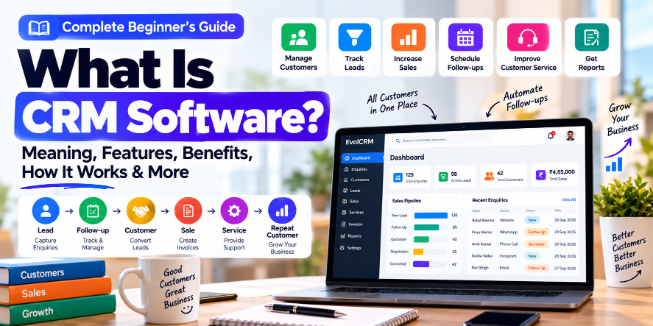
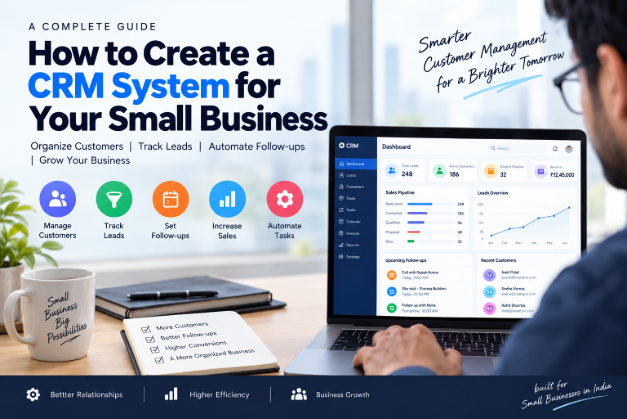
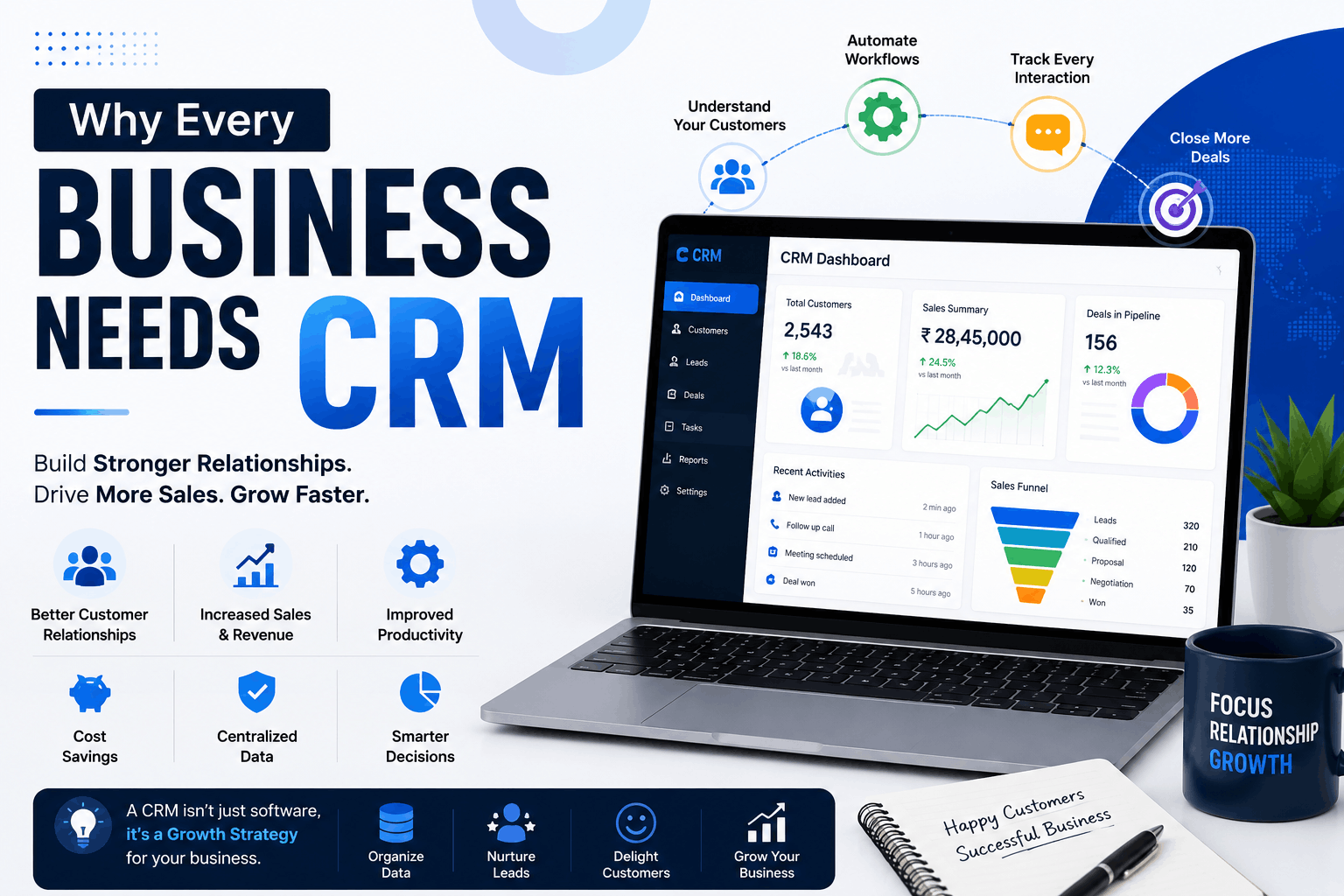
This is exactly where CRM software for small businesses becomes essential. Customer Relationship Management (CRM) software helps you track and organise every interaction with customers and prospects. It centralises contact details, conversation history, and purchase records into one place .
Here is the reality—small businesses are actually the least likely to adopt CRM systems, even though they need them most. Research from Metrigy's CX MetriCast 2025 study found that only 52.5% of companies with fewer than 250 employees use a CRM. In contrast, 78.4% of companies with 1,000 to 2,500 employees have one. That gap represents a competitive disadvantage.
What Is CRM Software and How Does It Work?
At its core, small business CRM software is a tool that helps you manage relationships with current and potential customers. It acts as a centralised hub where all customer-related information lives—contact details, communication history, purchase records, support tickets, and more.
Here is how it typically works in practice:
Data Collection: Your CRM automatically captures customer information from various touchpoints—website forms, email inquiries, phone calls, social media interactions, and in-person meetings.
Centralisation: All this data is stored in a single, accessible location. Instead of searching through different apps, emails, or notebooks, you can find everything in one place.
Automation: The system handles repetitive tasks like sending follow-up emails, assigning leads to the right team members, and sending service reminders.
Analysis: Your CRM provides dashboards and reports that show sales performance, customer behaviour, and pipeline health.
Take action: With clear visibility into your customer relationships, you can make better decisions and move leads through the sales process more effectively.
Think of it as a single source of truth for every customer interaction—something every service business in India needs.
Why Small Businesses Need CRM Software
Small businesses face unique challenges that make CRM software for small businesses not just helpful, but essential.
1. Save Time and Reduce Busy Work
One of the biggest time-wasters in small business is repetitive administrative work. CRMs handle tasks like lead assignment, follow-up reminders, and routine replies automatically . Instead of spending hours digging through old emails to find a customer's last conversation, you can access everything instantly.
Example: An Indian pest control company using EvolCRM automates their follow-up reminders. When a customer books a quarterly pest control service, the system automatically sends a reminder a week before the appointment. No manual follow-ups needed.
2. Centralise Customer Conversations
Your customers contact you through multiple channels. WhatsApp, email, Instagram, Facebook Messenger, phone calls. Without a unified system, it is easy to miss context. A CRM brings every interaction into one timeline, so you are never searching through different apps to remember who you are talking to .
Example: A boutique in Mumbai receives customer inquiries through Instagram DMs, WhatsApp, and email. With a CRM, they can see all these conversations in one place and provide consistent, informed responses.
3. Gain Real Visibility Into Your Sales Pipeline
When you have a visual dashboard showing exactly where every potential deal stands, you can prioritise your efforts. Pipeline management is a core CRM feature that lets you see which deals are hot, which need attention, and which are stuck .
Example: A B2B service provider in Bangalore uses EvolCRM's pipeline view to track 50+ deals. They can instantly see that 12 are in the negotiation stage and 8 have gone cold—allowing them to focus their sales effort effectively.
4. Make Data-Driven Decisions
Research published in the Sustainability journal in 2025 confirmed that CRM adoption in small and medium businesses directly improves customer retention, sales performance, and operational efficiency . Another study found that SMBs using CRM systems see a 20% to 30% improvement in effectiveness, particularly in customer retention and service quality.
Example: A Delhi-based logistics company analyses CRM reports to identify that customers in the NCR region renew contracts at a 40% higher rate than those in other areas. They adjust their marketing budget accordingly.
Key Features of Small Business CRM Software
You do not need every bell and whistle an enterprise CRM offers. Here is what actually matters for a small business CRM.
1. Unified Contact Management
This is the core of any decent CRM. It stores all customer details and conversation history in one profile. No more digging through old emails or sticky notes .
What to look for: Complete customer profiles with communication logs, purchase history, and service records.
2. Pipeline Management
A visual sales dashboard that shows every deal and its status. It helps you see what is about to close and what needs attention .
What to look for: Customisable sales stages, drag-and-drop functionality, and deal tracking.
3. Automation
This is where time savings really add up. Look for tools that automate lead assignment, follow-up reminders, and repetitive tasks. Bonus points if the CRM includes AI features that further enhance efficiency .
What to look for: Automated workflows, email/SMS templates, and AI-powered suggestions.
4. Reporting and Analytics
You need straightforward reports on sales performance and customer trends. Not complicated spreadsheets with complex formulas—just clear insights .
What to look for: Sales reports, customer retention metrics, and custom dashboards.
5. Mobile Access
Your team is not always at a desk. Mobile access lets sales and service teams update records, check statuses, and manage tasks from their phones .
What to look for: Native mobile apps with offline functionality.
6. Ticketing and Service Management
This feature turns messy chat threads into organised tickets. It helps track requests, prioritise tasks, and measure performance .
What to look for: Ticket creation, assignment, and resolution tracking.
Benefits of CRM for Service Businesses
For CRM for service businesses, the benefits are particularly significant. Service-based companies face specific challenges that generic CRMs don't always address.
1. Customer Retention
Service businesses thrive on repeat customers. A CRM helps you track service histories, send timely reminders, and personalise communications based on past interactions.
Example: An AC repair service in Hyderabad uses CRM data to know that a customer's AC needs servicing every six months. They send reminders at the right time, and the customer never has to remember to book.
2. Technician Scheduling
For field service businesses, CRM software India solutions often include scheduling features that match the right technician to the right job.
Example: A plumbing service in Pune uses EvolCRM to assign jobs to technicians based on their location and skill set. The system optimises routes to reduce travel time and increase daily service calls.
3. Contract Management
Many service businesses operate on contracts. A CRM tracks contract renewals, ensures timely billing, and maintains service history for each contract.
Example: A pest control company tracks every service visit against customer contracts. When a contract is about to expire, the CRM sends a renewal notification to the sales team.
4. Compliance and Documentation
Service businesses often need to maintain compliance records. A CRM software for small businesses can store and generate compliance documentation automatically.
Example: A security services company uses EvolCRM to maintain training records, equipment certifications, and client contracts in one place.
CRM Automation: What It Does and Why It Matters
CRM software for small businesses can automate the tasks that consume your team's most valuable time. Here are the key automation features to look for.
Lead Assignment
When a new lead comes in—from a website form, phone call, or email—your CRM can automatically assign it to the right salesperson based on criteria like location, industry, or workload.
Follow-Up Reminders
Your CRM can send automated reminders to follow up with leads at specific intervals. Never let a hot lead go cold again.
Email and SMS Templates
Create templates for common communications like welcome emails, appointment confirmations, and service reminders. Your team can personalise and send them in seconds.
Workflow Automation
Set up workflows that trigger automatically when certain conditions are met. For example, when a lead moves to the "negotiation" stage, the CRM automatically sends a proposal template to the salesperson.
AI-Powered Suggestions
Modern CRMs, including EvolCRM, use AI to suggest the best time to contact leads, recommend products or services based on customer history, and identify at-risk customers who need attention.
How to Choose the Right CRM for Your Small Business
The number of CRM options can feel overwhelming. Here is a practical framework to find the right small business CRM.
Step 1: Identify Your Real Problems
Before you Google "best CRM for small business," sit down and write out specific problems. "I need better organisation" is too vague. "I keep forgetting to follow up with leads who asked for a quote" is specific .
Being specific helps you focus on features that actually matter. It also stops you from getting distracted by flashy features you do not need.
Practical exercise: Ask your team what frustrates them most about your current customer management process. Common answers include:
- "I spend too much time searching for customer information."
- "I can't track which deals are progressing and which are stuck."
- "I forget to follow up with leads who aren't ready to buy yet."
Step 2: Consider User Adoption Above All
Staff resistance is one of the biggest reasons CRM implementations fail. And the problem is usually not the software itself—it is often a communication problem .
Your team might see the CRM as just another task or a tool for managers to track them. To prevent this, bring your team into the conversation early. Ask them what frustrates them about current processes and what would make their work easier.
Also, think about how you talk about the CRM. Instead of saying how it helps you as the owner, show what it does for them. For example, point out they will no longer have to dig through old emails to find notes from last month.
Step 3: Pick a Price That Fits
CRM costs vary widely. The right choice depends on your team size and feature needs. For most small teams, the entry tier should stay affordable.
Some platforms charge per user per month, while others offer flat-rate pricing. CRM software India options can be particularly affordable.
Step 4: Plan for Growth, Not Just Today
The CRM that perfectly fits your 10-person team might break at 30 people. Evaluate platforms based on where you are headed, not just where you are now . This often means paying for capabilities you do not need immediately, but thinking of it as planning for the near future.
Step 5: Look for Easy Setup
At a small company, you do not have a dedicated IT team. Onboarding your CRM should be something a non-technical person can finish in a day, not a quarter . If it needs a consultant to stand up, it is probably the wrong fit at this stage.
Common CRM Implementation Pitfalls to Avoid
Over-Engineering Too Early
Growing businesses often feel pressure to build perfect systems immediately. But you do not yet know what your scaled business actually needs. Premature optimisation wastes time building workflows you will abandon later . Start simple. Add complexity only when specific problems demand it.
Neglecting Data Quality
"We will clean it up later" seldom happens. Dirty data migrated to a new CRM is just dirty data in a new location. Invest time in data hygiene before, during, and after migration .
Rolling Everything Out at Once
You cannot afford to pause revenue activities for a perfect implementation. Phase your rollout to protect your growth engine while building better infrastructure around it.
Not Documenting Decisions
Six months from now, your team will not remember why you configured something a certain way. Document your implementation decisions, including what you considered and why you chose differently.
EvolCRM: A Customisable CRM Solution for Indian Businesses
For Indian small businesses looking for a CRM software for small businesses that balances capability with affordability, EvolCRM offers a compelling option.
EvolCRM is a modern, AI-powered CRM platform designed to help service businesses manage customers, automate workflows, and close more deals. It includes the core features that matter most to small businesses.
Unified Inbox: Manage conversations from WhatsApp, Email, Facebook, Instagram, and Telegram in one place.
Pipeline Management: Visual sales pipeline with drag-and-drop deal tracking.
Automation: Automated lead assignment, follow-up reminders, and workflow triggers.
AI Features: Intelligent suggestions and automated customer service.
Service Scheduling: Manage appointments, service histories, and technician assignments.
Reports and Analytics: Real-time visibility into sales performance and customer trends.
Mobile Access: Field teams can access customer information and update records from anywhere.
Pricing: EvolCRM offers flexible pricing that avoids per-user fees, making it affordable for growing teams.
Frequently Asked Questions
1. What is CRM software for small businesses?
CRM software helps small businesses manage customer relationships by centralising contact information, communication history, purchase records, and service interactions in one place.
2. How much does CRM software cost in India?
CRM costs vary widely. Some platforms charge per user per month, while others offer flat-rate pricing. Many CRM software India options offer affordable plans for small businesses.
3. Can a CRM help with service scheduling?
Yes. Many CRM software for small businesses includes scheduling features to manage appointments, assign technicians, and track service history.
4. How long does it take to implement a CRM?
Simple CRM implementations can be completed in a day or two. More complex setups may take a few weeks. Choose a CRM that doesn't require extensive IT support.
5. Is CRM software only for sales?
No. While CRM started as a sales tool, modern CRMs support marketing, customer service, scheduling, and operations.
6. What is the difference between CRM and Excel?
Excel is a static spreadsheet that requires manual data entry and has limited collaboration features. A CRM is a dynamic, automated system that centralises customer data and streamlines workflows.
7. Can a CRM help with customer retention?
Yes. CRMs help you track service histories, send personalised communications, and identify customers who may be at risk of churning.
8. Does CRM software integrate with WhatsApp?
Many modern CRMs, including EvolCRM, offer WhatsApp integration to centralise conversations and maintain customer communication history.
Conclusion: A Competitive Advantage, Not an Expense
CRM adoption is not just about staying organised. Research shows it is a genuine competitive advantage for small businesses . The gap between businesses with and without a CRM is clear, and it directly affects customer retention, sales performance, and operational efficiency.
The most important thing is to start. You do not need the perfect system on day one. Begin with a single pipeline. Something simple with just a few stages. That is enough to get started, and you can always refine it later.
Focus on your current leads and start fresh. From that point on, make sure you enter every new contact into your CRM properly. You can gradually sort through the backlog when you are less busy.
The system that supports your first 12 months will likely look different from the system supporting your third year. That is fine. The goal is to grow, and a CRM is simply the tool that helps you manage that growth intentionally instead of reacting to chaos.
Ready to See How EvolCRM Can Help Your Business?
EvolCRM offers a modern, AI-powered CRM designed for Indian small businesses. Our platform helps you manage customers, automate workflows, and close more deals.
[Book a Free Demo →] — See how EvolCRM can streamline your operations in 30 minutes.
Related Resources:
- CRM vs Excel: Which Is Better for a Growing Business?
- Pest Control CRM Software
- Mobile App Development Services