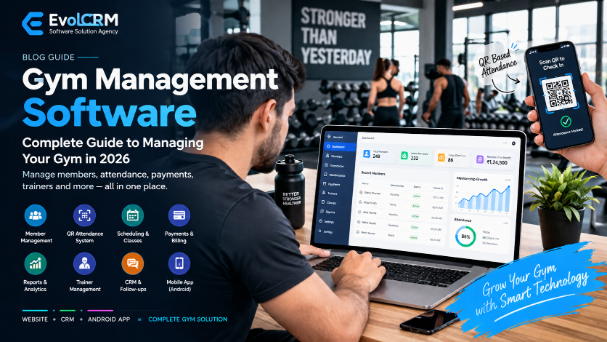
Running a gym involves much more than managing workouts and fitness equipment. Gym owners and fitness center managers also need to manage members, memberships, attendance, payments, renewals, trainers, enquiries, follow-ups, classes and business reports.
When these activities are handled using paper registers, Excel spreadsheets, separate payment records and WhatsApp conversations, managing information can become difficult as the gym grows.
Gym management software brings these operations into one centralized digital system. It can help gyms manage members, memberships, attendance, payments, billing, trainers, leads, follow-ups and reports from a single platform.
For gyms in India, gym management software can also support workflows involving UPI payments, QR attendance, digital invoices, mobile applications and customer communication, depending on the software and integrations being used.
What Is Gym Management Software?
Gym management software is a digital system used to manage the daily operations of a gym, fitness center, fitness studio or training facility.
Instead of maintaining separate records for different activities, gym staff can manage related information through one centralized platform.
A gym management system can include:
- Member management
- Membership management
- Attendance tracking
- QR code check-in
- Payment management
- Billing and invoices
- Membership expiry tracking
- Renewal reminders
- Gym CRM
- Lead management
- Trainer management
- Class scheduling
- Customer history
- Reports and analytics
- Admin dashboard
- Mobile or cloud access
The exact features available depend on the software provider and the selected plan.
Why Do Gyms Need Management Software?
A small gym may initially manage members using a notebook, register or spreadsheet. As membership increases, however, the amount of information that needs to be maintained also increases.
Gym staff may need to answer questions such as:
- Which members are currently active?
- Which memberships are expiring?
- Who has pending payments?
- How many members attended today?
- Which leads need follow-up?
- Which membership plans are most popular?
- How much money was collected this month?
- Which members have not visited recently?
- Which trainer is assigned to a member?
- How many enquiries converted into memberships?
A digital gym management system can organize this information and make it easier to search, update and report.
The purpose of gym software is not simply to replace paper records. It can help reduce repetitive administrative work and make important business information easier to access.
Key Features of Gym Management Software
The features available in gym management software vary between providers. A complete gym management system can include the following modules.
1. Gym Member Management
Member management is one of the core features of gym software.
A member profile can contain information such as:
- Name
- Phone number
- Address
- Profile photo
- Emergency contact
- Membership plan
- Joining date
- Expiry date
- Payment history
- Attendance history
- Notes
- Custom information
Staff can search for a member and view the available information without checking multiple registers or spreadsheets.
Why Member Management Matters
A centralized member database can make it easier to:
- Find customer information
- Update member records
- Check membership status
- Review payment history
- Review attendance
- Manage renewals
- Maintain organized customer records
2. Gym Membership Management
Gym membership software helps manage different membership plans and durations.
A gym may offer:
- Monthly membership
- Quarterly membership
- Six-month membership
- Annual membership
- Personal training plans
- Group training plans
- Custom packages
A membership system can track:
Plan → Start Date → Expiry Date → Payment → Renewal
This makes it easier for staff to identify active, expiring and expired memberships.
Membership Management Can Include
- New membership registration
- Membership plan selection
- Membership duration
- Start date
- Expiry date
- Membership renewal
- Membership upgrade
- Discounts
- Membership history
3. QR Code Gym Attendance
QR code attendance can provide an alternative to manual attendance registers.
A gym can display a QR code at the entrance. Depending on the implementation, members can scan the code using a supported mobile application or check-in system.
The system can record:
- Member
- Date
- Check-in time
- Attendance history
Attendance reports can then be used to understand gym visit patterns and identify members who have not visited recently.
Other Gym Attendance Methods
Depending on the software and hardware, gyms may also use:
- QR code attendance
- Mobile app check-in
- Membership ID
- Biometric devices
- Front-desk search
The available attendance method depends on the software provider and integrations.
4. Gym Payment and Billing Software
Payment management helps gyms maintain financial records related to memberships and other services.
Depending on the system, payments may be recorded through:
- Cash
- UPI
- Card
- Bank transfer
- Online payment
A gym billing module may also provide:
- Invoices
- Receipts
- Payment history
- Partial payments
- Discounts
- Outstanding balances
- Collection reports
For gyms in India, it is useful to check whether the software supports the payment methods and billing workflow used by the business.
5. Membership Expiry and Renewal Tracking
Membership expiry is an important part of gym administration.
Instead of manually checking every member's expiry date, software can provide lists or dashboard alerts for memberships that are approaching expiry.
A typical renewal workflow can look like:
Membership Expiry → Reminder → Follow-up → Renewal → Updated Membership
Depending on the system and integrations, reminders may be sent through:
- SMS
- Push notifications
Messaging automation normally requires the appropriate messaging service or integration.
6. Gym CRM and Lead Management
Gym management is not only about existing members. Gyms also need to manage potential customers.
New leads can come from:
- Website forms
- Phone calls
- Walk-ins
- Social media
- Google Ads
- Facebook Ads
- Referrals
- Online campaigns
A gym CRM can organize enquiries through a simple sales pipeline:
New Enquiry → Contacted → Trial → Follow-up → Converted → Member
Staff can record:
- Lead name
- Phone number
- Source
- Lead status
- Follow-up date
- Notes
- Trial information
- Conversion status
This can help reduce the chance of enquiries being forgotten.
7. Trainer Management
Gyms with multiple trainers may need software to organize trainer-related information.
Trainer management can include:
- Trainer profiles
- Trainer schedules
- Member assignments
- Class assignments
- Training sessions
- Trainer attendance
- Session records
For example, a manager can check which trainer is assigned to a particular member and review the relevant schedule.
8. Gym Class and Schedule Management
Gyms offering group classes, personal training or scheduled sessions may need a class scheduling module.
A scheduling system can manage:
- Class name
- Date
- Time
- Trainer
- Capacity
- Member bookings
- Session status
- Schedule changes
Common examples include:
- Yoga
- HIIT
- Strength training
- Cardio
- Group training
- Personal training
If online booking is supported, members may also be able to view available sessions and reserve a place.
9. Customer History
A centralized customer history can connect different parts of a member's journey.
For example:
Joining → Membership → Payment → Attendance → Renewal → Plan Change
This information can help staff understand the customer's relationship with the gym.
Instead of searching through multiple records, staff can access the available history from the member's profile.
10. Gym Reports and Analytics
Reports can help gym owners understand business activity.
Useful reports may include:
- New memberships
- Membership renewals
- Daily attendance
- Monthly attendance
- Expiring memberships
- Expired memberships
- Payment collections
- Outstanding dues
- Revenue
- Lead conversions
- Membership plan distribution
- Trainer activity
For example, an owner can review new admissions and renewals for a specific period instead of manually calculating information from different files.
11. Gym Admin Dashboard
A gym admin dashboard provides a quick overview of important information.
Depending on the software, the dashboard may display:
- Total members
- Active members
- Expiring memberships
- Today's attendance
- Today's collections
- Pending payments
- New enquiries
- Upcoming classes
- Recent activity
A dashboard can make frequently used business information easier to access.
12. Mobile and Cloud Access
Cloud-based gym software can allow authorized users to access their system through supported web browsers or mobile applications.
This can be useful when a gym owner or manager is away from the gym.
For example, an owner may want to:
- Check attendance
- Review collections
- View membership numbers
- Check enquiries
- Review reports
- Monitor renewals
The exact mobile functionality depends on the software provider.
Gym Management Software vs Excel and Paper Registers
Traditional gym management may involve:
- Paper registers
- Excel spreadsheets
- Handwritten receipts
- Separate payment records
- Phone-based follow-ups
- Manual attendance
These methods can work for simple operations, but managing larger amounts of information can become increasingly difficult.
Member Records
Traditional method
Member information may be maintained in paper registers or Excel spreadsheets.
Digital method
A centralized member database can store member profiles, memberships, payment information and other available customer details.
Attendance
Traditional method
Staff manually record attendance in a register or spreadsheet.
Digital method
Depending on the system, attendance can be recorded through QR codes, mobile applications, biometric devices, membership IDs or supported check-in methods.
Membership Management
Traditional method
Membership plans, dates and renewals may be tracked manually.
Digital method
Software can track membership plans, start dates, expiry dates, renewals and membership history.
Payments
Traditional method
Payments may be recorded in notebooks, spreadsheets or separate payment records.
Digital method
A digital system can maintain payment history along with invoices, receipts and outstanding balances where supported.
Membership Renewals
Traditional method
Staff manually check expiry dates and contact members.
Digital method
Software can provide expiry lists, dashboard alerts and supported renewal reminders.
Lead Management
Traditional method
Leads may be stored in WhatsApp conversations, notebooks or phone contacts.
Digital method
A gym CRM can organize enquiries using lead statuses, follow-ups, trial sessions and conversion tracking.
Reports
Traditional method
Staff manually calculate attendance, collections, memberships and other figures.
Digital method
Software can generate reports for memberships, attendance, payments, renewals and leads.
Access
Traditional method
Information may mainly be available at the gym reception or on a particular computer or register.
Digital method
Cloud-based systems can provide web or mobile access to authorized users where supported.
Digital Gym Workflow
The main difference between manual records and a centralized system is how information is connected.
A typical digital workflow can look like:
New Enquiry → Follow-up → Membership → Payment → Attendance → Expiry → Renewal
This can reduce repetitive data entry and make business information easier to manage.
Gym Membership Software vs Gym Management Software
These terms are related but not identical.
Gym Membership Software
Gym membership software primarily focuses on:
- Membership plans
- Pricing
- Duration
- Registrations
- Renewals
- Expiry
- Membership history
Gym Management Software
Gym management software usually covers a wider range of operations, such as:
- Members
- Memberships
- Attendance
- Payments
- Billing
- Trainers
- Classes
- Leads
- Follow-ups
- Reports
- Notifications
- Administration
A gym management platform may therefore include membership management as one of its modules.
Gym CRM Software vs Gym Management Software
A gym CRM primarily focuses on leads and customer relationships.
It can help manage:
- Enquiries
- Lead status
- Follow-ups
- Trial sessions
- Communication
- Conversions
- Customer information
A broader gym management platform can connect the CRM with membership and operational modules.
For example:
Website Enquiry → CRM Lead → Follow-up → Trial → Membership → Member Record
Connecting these stages can reduce duplicate data entry when a prospect becomes a member.
How to Choose Gym Management Software in India
Before purchasing gym management software, identify the problems your gym needs to solve.
1. Check the Required Features
Make a list of your essential requirements:
- Member management
- Memberships
- Attendance
- Payments
- Billing
- Leads
- Follow-ups
- Trainers
- Reports
- Mobile access
Then compare available software against this list.
2. Check Ease of Use
Your gym software may be used by:
- Reception staff
- Trainers
- Managers
- Owners
Common tasks should be easy to understand and perform.
Software with many features may still be difficult to use if everyday workflows are complicated.
3. Check Attendance Options
Decide which attendance method fits your gym.
Possible options include:
- QR attendance
- Mobile check-in
- Biometric attendance
- Membership ID
- Front-desk entry
Choose according to your gym's actual workflow rather than paying for features you do not need.
4. Check Membership Management
Look for features such as:
- Multiple plans
- Different durations
- Renewals
- Upgrades
- Expiry tracking
- Discounts
- Membership history
5. Check Payments and Billing
Verify whether the system supports your required payment methods.
Check for:
- Invoices
- Receipts
- Partial payments
- Discounts
- Outstanding balances
- Payment history
- Collection reports
For Indian gyms, UPI payment support can be an important requirement.
6. Check CRM Features
If your gym depends on new admissions, check whether the software provides:
- Lead capture
- Follow-up reminders
- Trial management
- Lead status
- Conversion tracking
- Communication history
7. Check Reports
Ask whether the software provides the reports you actually need.
Examples include:
- Revenue
- Collections
- Attendance
- Memberships
- Renewals
- Expiry
- Leads
8. Check Security
Gym software can contain customer information.
Before selecting a platform, check for appropriate security features such as:
- Secure authentication
- Role-based access
- Access controls
- Data protection
- Backups
- Secure connections
9. Check Customization
Different gyms have different workflows.
You may need customized:
- Fields
- Reports
- Invoice templates
- Notifications
- Workflows
- Integrations
Ask the provider what can actually be customized before purchasing.
10. Check Mobile Access
If you want to manage the gym remotely, check whether the provider offers:
- Responsive web application
- Android application
- iOS application
- Owner dashboard
- Member application
11. Check Technical Support
Consider:
- Technical support
- Account support
- Training
- Documentation
- Updates
- Troubleshooting
Support can become especially important when the software is used for daily gym operations.
12. Check Scalability
Think about your future requirements.
Your software may eventually need to accommodate growth in:
- Members
- Staff
- Services
- Trainers
- Classes
- Branches
If you plan to open additional locations, check whether the software supports multi-branch operations.
How Much Does Gym Management Software Cost in India?
There is no single price for gym management software.
The cost can depend on:
- Number of members
- Number of staff users
- Features
- Mobile applications
- Attendance integrations
- Payment integrations
- Number of branches
- Customization
- Hosting
- Support
- Reporting requirements
A basic system may only need member management, attendance and payment tracking.
A larger fitness business may require:
- CRM
- Multiple staff accounts
- Mobile apps
- Advanced reporting
- Trainer management
- Class scheduling
- Multi-branch management
Questions to Ask Before Buying
Before comparing gym software prices, ask:
- How many members are included?
- How many staff accounts are included?
- Is hosting included?
- Is the mobile application included?
- Is attendance integration included?
- Are WhatsApp or SMS integrations included?
- Are reports included?
- Is data export available?
- Is technical support included?
- What happens if the gym grows?
Comparing only the monthly subscription price may not show the complete cost of using the software.
Free vs Paid Gym Management Software
Free gym software can be useful for testing a system or managing a small operation.
However, free plans may have limitations involving:
- Member limits
- Features
- Reports
- Integrations
- Support
- Data storage
- Automation
Paid systems may provide additional functionality and support, but the appropriate choice depends on the gym's requirements and budget.
Before selecting free software, check whether your data can be exported if you later move to another platform.
Online Gym Management Software: How Does It Work?
Cloud-based gym management software stores business information on remote infrastructure and allows authorized users to access it through supported web or mobile applications.
A typical workflow can look like:
Member Registration
↓
Membership Plan
↓
Payment
↓
Invoice
↓
Attendance Check-in
↓
Expiry Tracking
↓
Renewal Reminder
↓
Reports
This creates a connected digital workflow instead of maintaining separate records for each activity.
How to Digitize a Gym: Practical Workflow
A gym can gradually move from manual management to digital management.
Step 1: Capture the Enquiry
A new prospect contacts the gym through a website, phone call, social media or walk-in.
Step 2: Create a Lead
Store the prospect's basic information in the CRM.
Step 3: Follow Up
Record the next follow-up date and communication history.
Step 4: Convert the Prospect
When the prospect joins, convert the lead into a member record.
Step 5: Create the Membership
Select the membership plan, duration and applicable pricing.
Step 6: Record the Payment
Record the payment and generate the applicable invoice or receipt.
Step 7: Start Attendance Tracking
The member can use the supported check-in method.
Step 8: Monitor Membership Expiry
The system identifies memberships approaching their expiry date.
Step 9: Follow Up for Renewal
Staff can contact members who need to renew.
Step 10: Review Reports
The owner can review memberships, attendance, collections and leads.
Gym Management Software for Small Gyms
Small gyms do not necessarily need every advanced feature.
A practical starting setup can include:
- Member management
- Membership plans
- Attendance
- Payment records
- Expiry tracking
- Renewal reminders
- Basic reports
As the gym grows, additional features such as CRM, trainer management, mobile applications and advanced analytics can be added if required.
The goal should be to choose software that solves current problems without unnecessarily complicating daily operations.
Gym Management Software for Large Fitness Centers
Larger gyms and fitness chains may need more advanced functionality.
Important requirements can include:
- Multiple staff accounts
- Role-based permissions
- Multiple branches
- Centralized reporting
- Trainer management
- Class scheduling
- Capacity management
- CRM
- Advanced analytics
- Mobile applications
- Access-control integrations
- Custom workflows
A multi-branch fitness business should evaluate whether the software can provide centralized visibility while allowing individual branches to manage daily operations.
Gym Management Software for Gyms in India
Indian gyms can have specific operational requirements.
Depending on the business, useful capabilities may include:
- UPI payment recording
- INR-based billing
- QR attendance
- WhatsApp communication
- SMS reminders
- GST-related billing requirements where applicable
- Hindi or regional-language support
- Android applications
- Cloud access
- Local technical support
However, features differ between providers, so gym owners should verify each requirement before purchasing.
Benefits of Gym Management Software
Gym management software can provide several operational benefits.
Centralized Member Information
Member records can be managed from one system instead of multiple registers or spreadsheets.
Easier Attendance Tracking
Supported digital attendance methods can reduce manual entry.
Membership Expiry Visibility
Staff can identify memberships that are approaching expiry.
Better Lead Organization
A CRM can help organize enquiries and follow-ups.
Digital Payment Records
Payment history can be maintained alongside customer and membership information.
Faster Reporting
Digital reports can reduce the need for manual calculations.
Remote Access
Cloud-based systems can allow authorized users to access information outside the gym.
Connected Business Workflow
A gym can connect:
Lead → Member → Membership → Payment → Attendance → Renewal
This can provide a more organized operational workflow.
Gym Management Software for Multiple Branches
Businesses operating multiple gym branches may need centralized management.
A multi-branch system can potentially manage:
- Branches
- Members
- Staff
- Trainers
- Memberships
- Payments
- Attendance
- Leads
- Reports
For example, an owner may want to view overall business activity while branch staff manage members at their respective locations.
Before purchasing software, confirm whether multi-branch functionality is actually supported and how user permissions are handled.
Gym Management Software and Mobile Apps
A gym software ecosystem can include different applications for different users.
Admin Application
An admin application can provide access to:
- Members
- Memberships
- Payments
- Attendance
- Reports
- Leads
Trainer Application
A trainer application may provide:
- Assigned members
- Training schedules
- Sessions
- Class information
Member Application
A member application may provide:
- Membership details
- Attendance
- Payment information
- Renewal information
- Class schedules
- Profile information
The exact features depend on the application design and software provider.
Gym Management Software Development in India
Businesses that need a workflow different from standard gym software may consider custom development.
A custom gym management solution can be designed around the gym's specific processes.
Possible components include:
- Gym website
- Admin dashboard
- Gym CRM
- Member management
- Membership management
- QR attendance
- Payment records
- Billing
- Reports
- Trainer management
- Class scheduling
- Android application
- Member application
- Notifications
- Custom integrations
For example:
Website + CRM + Admin Dashboard + Member App + Attendance + Membership + Billing
The exact architecture depends on the gym's requirements, budget and expected number of users.
How EvolCRM Can Help With Gym Software
EvolCRM Software Solution develops customizable software, websites and mobile applications for businesses in India.
For fitness businesses, a customized gym management solution can be designed around workflows such as:
- Member management
- Membership tracking
- QR-based attendance
- Payment records
- Admin dashboard
- Reports
- Lead management
- Follow-up management
- Gym website
- Android application
A custom solution can be adapted to the gym's existing workflow instead of requiring the business to change every process to fit a fixed platform.
A gym may require a combination such as:
Website + Admin Dashboard + Member App + Attendance + Membership + CRM
The exact implementation depends on the gym's requirements.
If you are looking for gym management software development in India, EvolCRM can discuss the required features and develop a solution around your business workflow.
Frequently Asked Questions About Gym Management Software
What is gym management software?
Gym management software is a digital platform that helps manage gym members, memberships, attendance, payments, billing, renewals, leads, trainers and reports from a centralized system.
What features should gym management software have?
Important features can include member management, membership management, attendance tracking, payment and billing, expiry reminders, lead management, trainer management and reporting.
Which software is used to manage a gym?
Gyms use different types of software depending on their requirements. A complete gym management system can combine membership, attendance, billing, CRM, trainer and reporting functions in one platform.
How does gym attendance software work?
Attendance software records member check-ins using a supported method such as QR code, mobile application, biometric device, membership ID or front-desk entry.
Can gym software track membership expiry?
Yes. Membership management software can store start and expiry dates and may provide expiry lists, alerts or automated renewal reminders depending on the system.
Can gym management software manage payments?
Yes. Gym billing software can record payments, maintain payment history, track outstanding balances and generate invoices or receipts where supported.
Can gym software manage leads?
Yes. Gym CRM software can capture enquiries, track lead status, schedule follow-ups and record conversion information.
Is gym management software useful for small gyms?
Yes. Small gyms can use basic features such as member management, memberships, attendance, payments and expiry tracking without necessarily requiring advanced features.
Is gym management software available online?
Yes. Cloud-based gym management software can be accessed through supported web browsers or mobile applications, depending on the provider.
Can gym management software have an Android app?
Yes. A gym software solution can include an Android application for owners, staff or members. Whether an app is included depends on the software provider.
How much does gym management software cost in India?
There is no universal price. Cost depends on features, members, staff accounts, mobile apps, integrations, customization, hosting and support. Pricing should be evaluated according to the gym's actual requirements.
Is QR attendance better than manual attendance?
QR attendance can reduce manual data entry and make check-ins easier to record. Whether it is suitable depends on the gym's workflow, device availability and member usage.
Can gym software send WhatsApp reminders?
Some gym software can integrate with WhatsApp or other messaging services for notifications and reminders. Availability and messaging costs depend on the integration and provider.
Can gym management software manage multiple gym branches?
Some platforms support multi-branch management with centralized dashboards and role-based access. If you operate multiple locations, confirm this capability before selecting a provider.
Can gym management software manage trainers?
Yes. Depending on the software, trainer management can include trainer profiles, schedules, member assignments, classes and session records.
Can gym management software manage gym leads?
Yes. A gym CRM can capture enquiries, record follow-ups, manage trial sessions and track conversions.
Can gym management software generate reports?
Yes. Depending on the system, reports can include memberships, attendance, payments, renewals, revenue, leads and trainer activity.
Final Takeaway
Gym management software can bring member records, memberships, attendance, payments, billing, leads, trainers and reports into one digital workflow.
For a small gym, the most important features may be:
- Member management
- Membership management
- Attendance
- Payment records
- Expiry tracking
A growing fitness center may additionally need:
- CRM
- Automated communication
- Trainer management
- Class scheduling
- Mobile applications
- Advanced reporting
- Multi-branch management
The right software depends on the gym's size, workflow, budget, staff, number of members and future requirements.
If you are planning to build a custom gym management system, gym website or Android application in India, EvolCRM Software Solution can develop a solution around your specific business requirements.