You know you need a website. But every time you sit down to figure it out, you get stuck. Which domain should you buy? What's hosting, anyway? Do you need to learn coding? How much is this actually going to cost? And now people keep talking about AI building websites—is that even real?
Here's the good news: creating a professional website in 2026 is easier than it's ever been. You don't need to be a developer. You don't need a technical team. And you definitely don't need to spend lakhs of rupees just to get started.
This guide walks you through everything—domains, hosting, AI website builders, WordPress, and practical steps to launch your site. Let's get started.
1. What Do You Need to Create a Website?
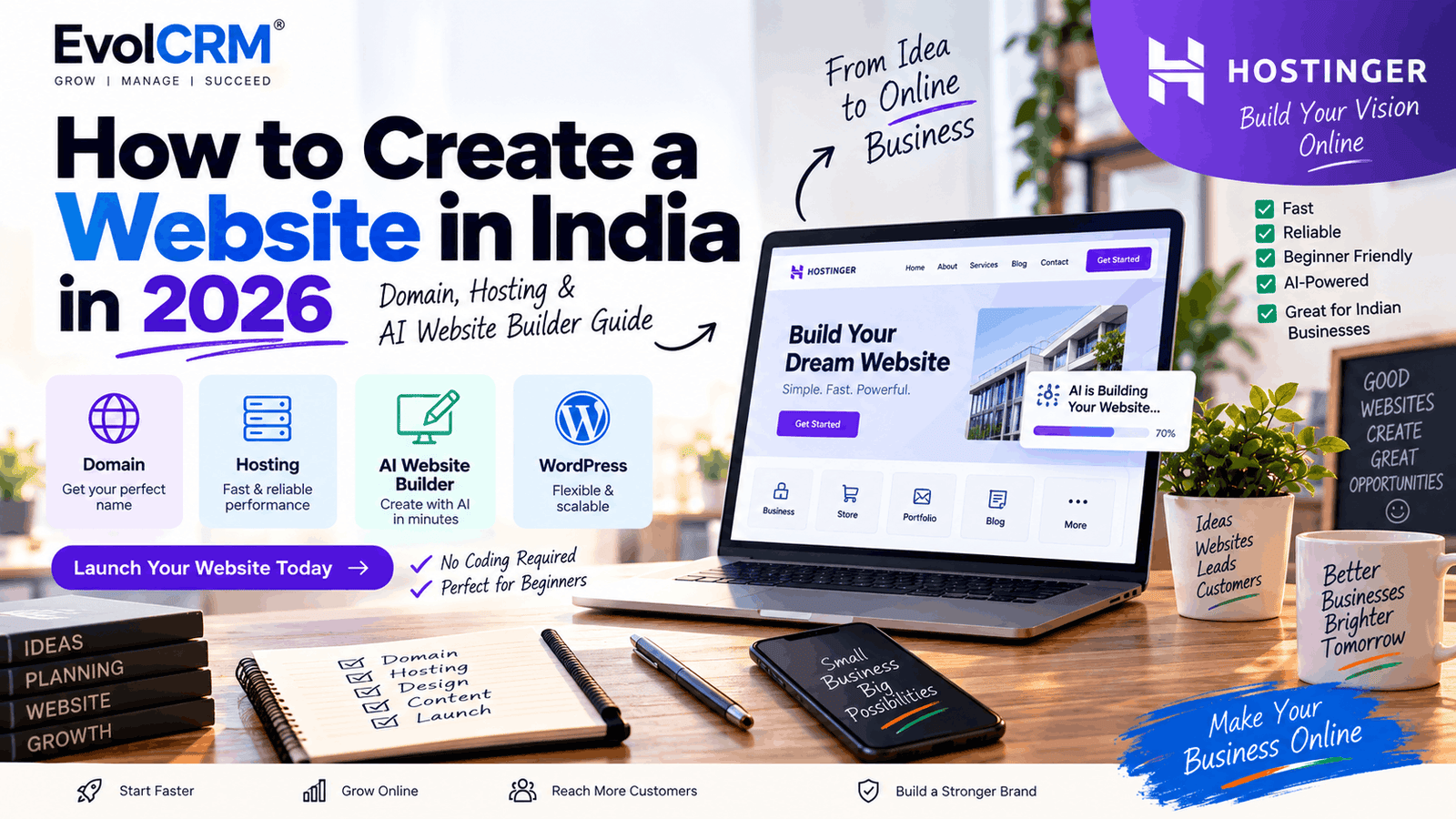
Before diving into tools, let's break down the basics. Every website needs four components:
Domain Name
This is your website's address—what people type into their browser to find you. Think yourbusiness.com or yourbrand.in. It's your digital identity.
Web Hosting
Think of hosting as your website's home. It's where all your files—text, images, videos, code—are stored and served to visitors when they type your domain. Without hosting, your website has no place to live.
Website Platform
This is how you actually build the site. You have three main options:
- AI Website Builder—The fastest option. Describe your business, and AI generates a complete site with text, images, and layout.
- WordPress—The most flexible option. Thousands of themes and plugins let you build virtually anything.
- Custom Development—Hiring a developer to build from scratch. Expensive and usually unnecessary for most small businesses.
Website Content
The actual stuff people see—your text, images, logo, contact information, services, and calls to action.
2. How Much Does It Cost to Create a Website in India?
Costs vary widely depending on your choices:
Domain name—Typically ₹500–₹1,000 per year for a .com or .in domain.
- Hosting—Entry-level shared hosting can cost as little as ₹149–₹200 per month on long-term plans . Higher-tier plans with more features cost more.
- Website builder—Some hosting plans include a free website builder. Standalone AI builders may charge a monthly fee.
- Design and development—If you hire a professional, expect to pay anywhere from ₹40,000 to ₹1,50,000+ depending on the complexity . For most small businesses, a DIY approach is far more affordable.
A realistic starting budget: ₹3,000–₹6,000 for your first year, including domain and hosting.
3. How to Choose a Domain Name
Your domain name is your brand's first impression. Here's how to choose wisely:
- Keep it short—Aim for 6–14 characters if possible. Shorter names are easier to remember and type.
- Make it memorable—Avoid generic names that blend in.
- Avoid hyphens and numbers—They confuse people and make verbal sharing difficult.
- Match your brand—Use your business name or something closely related.
- Check trademark issues—Don't accidentally infringe on someone else's brand.
Choose the right extension—.com is the most recognized globally. .in is excellent for India-focused businesses. .org is common for non-profits.
4. What Is Web Hosting? A Simple Explanation
Imagine you're running a shop. The domain name is your shop's address. Web hosting is the building where your shop actually exists—shelves, stock, everything.
When someone visits your domain, their browser connects to your hosting server and downloads your website files. Good hosting makes this fast, reliable, and secure.
What to look for in hosting:
- Storage—How much space for your files
- Bandwidth—How much traffic your site can handle
- SSL certificate—Encrypts data and shows the padlock in the browser
- Backups—Automatic copies in case something goes wrong
- Support—Help when you need it
- Scalability—Can you upgrade as your site grows?
5. How to Choose Web Hosting in India
Here's a practical checklist:
- Price and renewal cost—Many hosts offer low introductory prices that jump significantly on renewal. Check what you'll actually pay after the first term.
- Server location—For Indian audiences, choose a host with servers in India (like Mumbai) for faster load times.
- Performance—Look for SSD storage and reliable uptime.
- Ease of use—A clean control panel (like Hostinger's hPanel) makes managing your site much easier.
- WordPress compatibility—If you plan to use WordPress, ensure your host supports it well.
- AI tools—Many hosts now offer AI website builders and content creation tools.
- Email—Does the plan include professional email addresses?
- Security—SSL, malware scanning, firewalls.
- Customer support—24/7 support via chat is invaluable when you're stuck.
A note on the cheapest option: The lowest-priced plan isn't always the best. Check what's included (or not) and watch for renewal rates.
6. Why Consider Hostinger for Your Website?
For beginners and small businesses in India, Hostinger is a strong option . Here's what makes it worth considering:
India-Specific Advantages
- Mumbai data center—Hostinger operates servers in Mumbai, which means faster loading times for Indian visitors .
- Pricing in INR—You see prices in Indian Rupees, no currency conversion surprises .
- UPI payments—You can pay using UPI, Google Pay, PhonePe, or Net Banking—no international card required .
Free .in domain—Many plans include a free domain for the first year .
AI-Powered Building Tools
Hostinger has moved aggressively into AI with its AI Builder platform. This allows you to:
- Start from a prompt, PDF, screenshot, or link—Upload a menu PDF or describe your business, and the AI generates a full site .
- Agentic mode—The AI actively builds and develops your project based on your instructions .
- Edit by chat—Tell the AI to change colors, add sections, or adjust tone in plain language .
- Manual control—You can also edit directly if you prefer hands-on control .
Beyond Basic Websites
AI Builder can handle more than just informational sites. It can set up:
- User accounts and authentication—Let people create accounts on your site .
- Ecommerce—Open a store, manage products, handle carts .
- Email marketing—Through Hostinger Reach, its AI-powered email marketing tool .
WordPress Support
If you prefer WordPress, Hostinger offers managed WordPress hosting with AI tools integrated into the WordPress dashboard—including Kodee, an AI assistant that helps with troubleshooting and site management .
Ready to start your website? Explore Hostinger's current hosting plans and AI website-building options. Check Hostinger here
Disclosure: This article contains a referral link. If you purchase through our link, we may receive a commission at no additional cost to you.
7. How to Create a Website With Hostinger
Here's a general step-by-step workflow (exact interface may vary):
- Choose a hosting plan—Select a plan that fits your budget and needs.
- Register or connect a domain—Get a free domain or use one you already own.
- Choose your build method—Select AI Builder (AI-powered), WordPress, or a traditional website builder.
- Use the AI website builder or WordPress—Follow the prompts to generate your site.
- Select a design—Choose from templates or let AI create a custom layout.
- Add website content—Fill in text, upload images, add your logo.
- Customize colors and branding—Match the site to your brand identity.
- Add contact forms—Make it easy for customers to reach you.
- Connect business email—Set up a professional email address like you@yourbusiness.com.
- Configure basic SEO—Add page titles and descriptions.
- Test the website—Check links, forms, and mobile display.
- Publish—Make it live!
8. How to Create a Website Using AI
AI website builders have matured significantly in 2026. Instead of wrestling with templates and formatting, you describe your business and the AI does the heavy lifting.
An Example Prompt
"Create a professional website for a small digital marketing agency in India. Include Home, About, Services, Portfolio, Blog, and Contact pages. Use a modern, mobile-friendly design with clear calls to action and an inquiry form."
What AI Can Generate
- Full layouts—Complete page structures with sections arranged logically .
- Relevant content—Text that actually describes your business, not placeholder lorem ipsum .
- Images—AI-generated photos matched to your industry .
- Logo designs—A professional logo created for your brand .
- Color palettes—Designs that fit your branding or industry.
The Human Review Step
This is important: AI-generated content should be treated as a first draft. Always review text for accuracy, brand voice, and originality before publishing. AI can make mistakes or generate content that sounds generic. Your review makes it authentic.
9. How to Create a WordPress Website
If you need more customization than an AI builder offers, WordPress is your platform. It powers over 40% of websites globally.
The basic process:
- Choose hosting with WordPress support.
- Install WordPress—many hosts do this automatically.
- Select a theme—choose a design that fits your brand.
- Install necessary plugins—for SEO, security, forms, etc.
- Create pages—Home, About, Services, Contact.
- Add content—write text, upload images.
- Configure menus—make navigation clear.
- Configure SEO—use a plugin like Yoast or RankMath.
- Test thoroughly.
- Launch.
Why choose WordPress? It offers virtually unlimited customization through its massive ecosystem of themes and plugins. If you can imagine it, WordPress can build it.
10. AI Website Builder vs WordPress
Neither is universally better. Your choice depends on your priorities.
AI Website Builder
- Beginner friendly: Very high. You can have a site in minutes.
- Coding required: Usually no.
- Initial setup: Fast—minutes to hours.
- Customization: Good, but within the builder's capabilities.
- Best for: Beginners who want a quick, professional site without technical hassle.
WordPress
- Beginner friendly: High, but has a learning curve.
- Coding required: Usually no for basic sites, but beneficial for advanced customization.
- Initial setup: Moderate—hours to days.
- Customization: Very high. Almost anything is possible with plugins and themes.
- Best for: Businesses that need flexibility, control, and scalability.
11. Best Website Types for Indian Businesses
Different businesses need different website structures. Here are common types and their recommended pages:
Local Business (e.g., restaurant, salon, clinic)
- Home, About, Services, Contact, Location/Map, Testimonials, Booking or Appointment form.
Real Estate Agency
- Home, Listings/Properties, About, Contact, Testimonials, FAQ.
Digital Marketing Agency
- Home, About, Services, Portfolio/Case Studies, Blog, Contact.
Freelancer or Creator
- Home, Portfolio/Gallery, About, Services, Contact, Testimonials.
Coaching Institute or Consultant
- Home, Courses/Services, About, Testimonials, Contact, Blog.
E-commerce
- Home, Product Catalog, Product Pages, Cart, Checkout, About, Contact.
12. Essential Pages Every Business Website Should Have
Your pages should build trust and guide visitors toward action.
Core pages:
- Home—Your main landing page. Clearly communicate who you are and what you do.
- About—Your story, team, and values. People buy from people.
- Services / Products—What you offer, with clear descriptions and pricing if applicable.
- Contact—Email, phone, address, contact form, and WhatsApp button.
- FAQ—Answer common questions to reduce friction.
Legal/Trust pages:
- Privacy Policy—Required by law if you collect any user data.
- Terms & Conditions—Sets expectations and protects your business.
13. How to Optimize Your Website for SEO
Creating a website isn't enough—people need to find it. Here's a beginner SEO checklist:
- [ ] SEO title (under 60 characters)
- [ ] Meta description (under 160 characters)
- [ ] Use H1 for the main heading
- [ ] Use H2/H3 for subheadings
- [ ] Clean, readable URLs
- [ ] Internal links to other relevant pages
- [ ] Image alt text
- [ ] Mobile responsiveness
- [ ] Fast page speed
- [ ] XML sitemap submitted to Google Search Console
- [ ] Robots.txt configured
- [ ] Structured data (schema markup)
- [ ] Google Search Console and Analytics installed
Remember: Hosting alone doesn't guarantee rankings. SEO takes ongoing effort.
14. Website Security Checklist
Protect your site and customer data:
- [ ] HTTPS/SSL active
- [ ] Strong passwords for all accounts
- [ ] Regular updates (themes, plugins, WordPress)
- [ ] Automatic backups enabled
- [ ] Use secure, trusted plugins
- [ ] Protect admin login (limit login attempts)
- [ ] Spam protection (CAPTCHA on forms)
- [ ] Regular security monitoring
15. Website Launch Checklist
Before you go live, run through this:
- ☐ Domain connected properly
- ☐ SSL certificate active
- ☐ Website displays correctly on mobile
- ☐ Contact forms send emails to the right address
- ☐ Phone number is correct
- ☐ Business email is set up
- ☐ All links work (no 404 errors)
- ☐ Images are optimized for web
- ☐ SEO title added to all pages
- ☐ Meta description added to all pages
- ☐ Sitemap submitted to Google
- ☐ Analytics installed
- ☐ Privacy Policy and Terms & Conditions pages are visible where required
16. Common Website-Building Mistakes to Avoid
1. Choosing hosting only because it's cheap
The cheapest plan often lacks features or has high renewal rates. Compare value, not just price.
2. Buying unnecessary features
Don't pay for features you won't use. Start with the basics and upgrade later.
3. Using generic AI content without editing
AI is a great starting point, but generic content hurts your brand and SEO. Always personalize it.
4. Ignoring mobile users
More than 60% of Indian internet users browse on mobile. If your site doesn't work on phones, you're losing business.
5. Slow-loading images
Compress images before uploading. Large images kill page speed, which hurts both user experience and SEO.
6. Missing contact information
Make it easy to find your phone number, email, address, and a contact form.
7. Poor navigation
Visitors should find what they need in three clicks or fewer.
8. No clear CTA
Tell visitors what to do next—"Call Now," "Book an Appointment," or "Get a Quote."
9. Ignoring SEO
You can't be found if you're not optimized.
10. Launching without testing
Test forms, links, and mobile views before going live.
17. How to Turn a Website Into a Lead Generation Machine
Your website should actively generate business. Here's a proven flow:
Visitor → Landing Page → Contact Form → Lead → CRM → Follow-up → Customer
Key elements:
- Lead forms—Make them simple. Name, email/phone, and a message field are enough to start.
- WhatsApp buttons—In India, WhatsApp is often the preferred way to connect. Add a "Chat on WhatsApp" button.
- Calls to action—Clear buttons like "Book a Demo," "Get a Quote," or "Start Free Trial."
- Appointment forms—Let visitors schedule calls or meetings directly.
- Newsletter forms—Build an email list for ongoing marketing.
- CRM integration—When someone submits a form, the lead should automatically enter your CRM for follow-up.
This is where a CRM becomes essential. Once inquiries come in, you need to track them, assign follow-ups, and manage the sales process. EvolCRM helps businesses organize leads, customers, follow-ups, and sales activity after website inquiries are received.
Ready to Launch Your Website?
If you're ready to create your website, Hostinger offers hosting, AI website building tools, and WordPress support in one place—with servers in Mumbai for fast Indian performance.
Check Hostinger's current plans and offers here
FAQ
1. How much does it cost to create a website in India?
A basic business website with domain and hosting typically costs ₹3,000–₹6,000 for the first year. Professional design services cost significantly more.
2. Can I create a website without coding?
Yes. AI website builders and WordPress allow you to build complete websites without writing a single line of code.
3. What do I need to create a website?
A domain name, web hosting, a website platform (AI builder or WordPress), and content.
4. What is the difference between domain and hosting?
The domain is your website's address. Hosting is the server where your website files are stored.
5. Which hosting is best for beginners in India?
Hostinger is a popular choice for beginners due to its affordable plans, Indian data centers, UPI payment options, and AI website builder .
6. Can AI create a complete website?
Yes. AI builders can generate complete websites from a prompt, including text, images, and layouts. Human review is still recommended.
7. Is WordPress better than an AI website builder?
It depends. AI builders are faster and easier. WordPress offers more flexibility and control. Neither is universally better.
8. How long does it take to create a website?
With an AI builder, you can have a basic site in minutes. A WordPress site may take a few hours to a few days to set up properly.
9. Can I create a business website with Hostinger?
Yes. Hostinger offers hosting, AI website building, and WordPress hosting—all suitable for business websites.
10. Can I use my own domain with Hostinger?
Yes. You can either register a new domain through Hostinger or connect an existing domain you already own.
11. Is web hosting necessary for a website?
Yes. Without hosting, your website has no place to live. All websites require hosting.
12. How can I get more customers from my website?
Add clear calls to action, optimize for SEO, include WhatsApp contact buttons, use lead capture forms, and integrate with a CRM like EvolCRM for follow-up management.
Conclusion
Creating a website in India in 2026 is more accessible than ever. You don't need technical expertise or a huge budget. The key steps are straightforward: choose a domain, pick hosting, decide between an AI builder or WordPress, add your content, and launch.
The best approach is to start simple. Don't try to build a perfect site on day one. Get a professional-looking site live, gather feedback, and iterate. Your website is a long-term asset—it grows with your business.
If you're looking for a reliable, beginner-friendly option with Indian servers, AI building tools, and affordable pricing, Hostinger is worth exploring.
Explore Hostinger's plans here