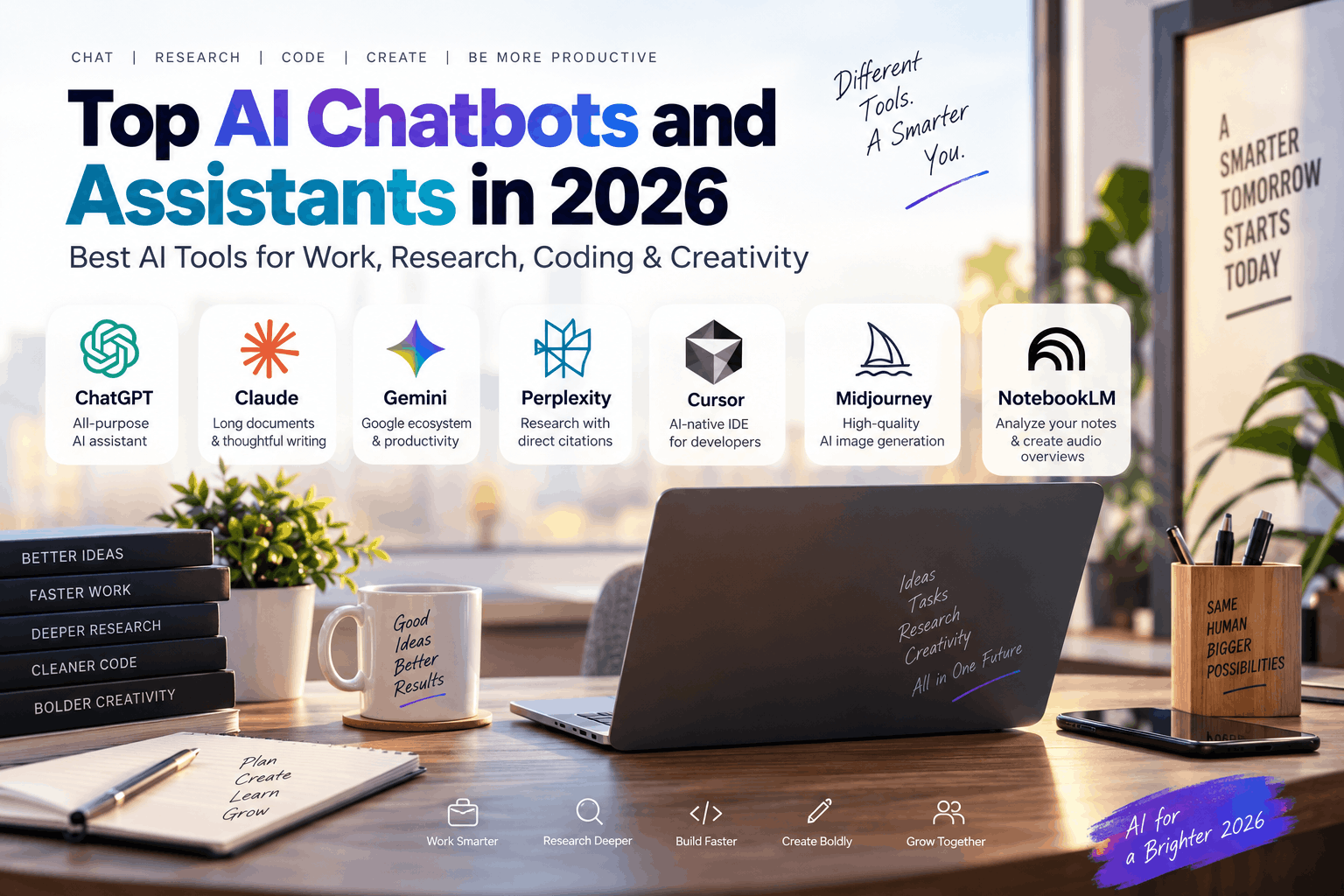
AI chatbots have evolved far beyond simple question-and-answer tools. In 2026, these digital assistants can build apps from scratch, analyze entire books in seconds, generate production-quality visuals, and even act as collaborative coworkers that complete multi-step tasks on your behalf . But with so many options available, choosing the right tool for your specific needs can feel overwhelming.
The truth is, there's no single "best" AI assistant. The right choice depends entirely on your workflow—whether you're a developer debugging code, a researcher verifying facts, a writer polishing long-form content, or a business professional embedded in the Google or Microsoft ecosystem. Let's break down the top AI chatbots and specialized tools for 2026, so you can find the one that actually fits how you work.
1. ChatGPT — Best All-Purpose AI Assistant
ChatGPT remains the most versatile AI assistant for general use. Powered by OpenAI's advanced models, it handles everything from casual conversation to complex problem-solving, coding, and content creation with impressive competence .
For everyday productivity, ChatGPT excels as a brainstorming partner, writing assistant, and second brain. You can upload files, analyze images and charts, summarize meeting notes, draft emails, and even role-play customer objections for sales training. The ability to create custom GPTs is especially valuable—you can build a specialized assistant tailored to your writing style, industry, or specific workflows .
The latest models understand images, charts, and voice inputs, making interactions more natural and efficient. But ChatGPT is only as good as your prompts—vague questions produce vague answers, so clarity matters .
Pros:
- Works well across almost any domain: writing, coding, research, analysis
- Massive ecosystem with custom GPTs, APIs, and extensions
- Fast, responsive, and genuinely useful for daily tasks
Cons:
- Requires clear prompting to get optimal results
- Some advanced tools require paid plans
- Not designed for real-time collaboration
Best for: General-purpose use, content creation, coding assistance, and business productivity.
2. Claude — Best for Long Documents, Coding, and Thoughtful Writing
Claude stands out for its exceptional writing quality and massive context window. Built by Anthropic with a focus on safety and thoughtful responses, Claude produces prose that feels more natural and human than many competitors .
The biggest differentiator is Claude's ability to handle up to 200,000 tokens—that's enough to analyze entire books, massive legal documents, or full codebases in one go . This makes it invaluable for professionals who work with lengthy materials. The Cowork feature takes this further by actively working alongside you—reading your files, running multi-step tasks, and producing finished work rather than just talking about it .
Claude's writing style is calm, balanced, and professional. It's ideal for drafting internal documents, policy updates, or anything that shouldn't sound like a marketing email. While Claude can feel more reserved and sometimes overly cautious compared to ChatGPT, that conservatism translates to reliability for analytical work and multi-document reasoning .
Pros:
- Exceptional long-form writing and document analysis
- Handles entire books or large codebases in one session
- Strong memory and structure in writing
- Free plan is highly capable
Cons:
- More reserved than ChatGPT; sometimes overly cautious
- Fewer plugins and integrations
- Usage limits can hit fast on free tier
Best for: Writers, analysts, legal professionals, developers working with large codebases, and anyone needing thorough document analysis.
3. Google Gemini — Best for Google Ecosystem Users
Gemini is the obvious choice for anyone deeply embedded in Google Workspace. It integrates seamlessly with Gmail, Google Docs, Drive, and Calendar, answering questions based on your personal history and documents .
For example, Gemini can summarize your recent emails, draft responses using your writing style, or analyze data from spreadsheets you've stored in Drive. This ecosystem advantage makes it incredibly practical for teams already using Google tools. The free tier is notably generous—Gemini provides access to its latest models, voice chat features, and 15GB of Google Drive storage at no cost .
Gemini also supports multimodal inputs, processing text, images, and voice naturally. However, its performance in code generation and creative writing doesn't quite match ChatGPT or Claude .
Pros:
- Deep Google Workspace integration
- Generous free tier with latest models
- Multimodal capabilities (text, image, voice)
- 15GB of cloud storage included
Cons:
- Limited to Google's ecosystem for advanced features
- Weaker creative writing compared to Claude
- Coding assistance lags behind specialized tools
Best for: Google Workspace users, teams, and businesses already using Gmail and Google Docs for daily workflows.
4. Perplexity — Best AI Search Engine for Research
Perplexity reframes the AI assistant as an "answer engine" focused on research. Rather than generating conversational responses, it scours the live web, synthesizes information from multiple sources, and provides direct answers with clickable citations .
This makes Perplexity the go-to tool for fact-checking, verifying information, and understanding complex topics. You can see exactly where the information comes from, which builds trust and enables deeper investigation. The Spaces feature allows you to create collaborative research hubs with uploaded files, links, and specific instructions, making it ideal for team projects or long-term research initiatives .
Perplexity also lets you switch between different AI models (GPT, Claude, Gemini) to compare how each interprets the same research query—a unique advantage for power users .
Pros:
- Excellent real-time search with live citations
- Clean, research-focused interface
- Supports multiple AI models for comparison
- Collaborative Spaces for project-based research
Cons:
- Less conversational than traditional chatbots
- Limited creative capabilities (writing, image generation)
- Weaker deep analysis compared to writing-focused tools
Best for: Students, researchers, journalists, analysts, and professionals who need accurate, verifiable information.
5. Cursor — Best AI-Native Coding Environment
Cursor represents a new generation of AI-powered development environments. Unlike general-purpose chatbots that assist with coding, Cursor is built specifically for developers. It provides AI-assisted programming directly within your workflow, handling code generation, debugging, refactoring, and codebase understanding.
For developers, the advantage is seamless integration. Instead of copying code back and forth between a chatbot and an IDE, Cursor works with your existing codebase, understanding the context of your project. Coding agents can automate repetitive tasks, generate tests, and even suggest architectural improvements.
Pros:
- AI-native development environment
- Understands entire codebase context
- Automates debugging, refactoring, and testing
- Coding agents for complex tasks
Cons:
- Limited to development use cases
- Not suitable for general-purpose assistance
- Requires developer familiarity to use effectively
Best for: Software developers, engineers, and development teams.
6. Midjourney — Best for Stylized AI Image Generation
Midjourney consistently produces the highest-quality AI-generated images available. Version 8.1 refined stability and consistency, making it the most reliable tool for production-ready visuals across photorealism and stylized illustration . The artistic range is unmatched, and prompt responsiveness has improved enough that getting the image you want rarely takes more than two to three attempts.
The main barrier is accessibility: Midjourney still operates primarily through Discord, which can be unfamiliar territory for non-technical users . A web interface exists but remains limited compared to the Discord workflow. For marketing teams, designers, and content creators who need high-quality visuals regularly, the output quality justifies the learning curve.
Pros:
- Highest overall image quality, especially for stylized and artistic work
- V8.1 provides consistent, reliable output
- Strong community and extensive prompt libraries
Cons:
- Discord-first workflow creates steep learning curve
- No free tier; plans start at $10 per month
- Less accessible for casual users
Best for: Designers, creative professionals, marketers, and content creators needing high-quality visuals.
7. NotebookLM — Best for Working With Your Own Sources
NotebookLM is a specialized research assistant designed for document-grounded work. Unlike other AI tools that pull from general knowledge, NotebookLM analyzes only the materials you upload—PDFs, websites, notes, and other sources. This makes it ideal for students, researchers, and professionals who need to work exclusively with specific reference materials.
You can ask questions about your sources, summarize key points, compare documents, and even generate audio overviews. The focus on your own sources ensures accuracy and relevance, while the audio generation feature is particularly useful for learning on the go.
Pros:
- Works exclusively with your uploaded sources
- Excellent for summarizing and analyzing documents
- Generates audio overviews for learning
- Reduces hallucination risk
Cons:
- Limited to uploaded source materials
- Not suitable for general-purpose questions
- Less versatile than broader AI assistants
Best for: Students, researchers, and professionals working with specific source materials.
Which AI Tool Should You Choose?
Here's a quick breakdown based on your primary need:
- Best AI chatbot overall: ChatGPT remains the most versatile choice for most users.
- Best AI for writing: Claude excels at thoughtful, polished long-form content .
- Best AI for coding: Cursor provides an AI-native development environment; ChatGPT and Claude also offer strong coding assistance.
- Best AI for research: Perplexity's source-backed answers with citations lead the pack .
- Best AI for students: Perplexity for research, NotebookLM for source analysis, and ChatGPT for general help.
- Best AI for business productivity: Gemini for Google Workspace users, Copilot for Microsoft 365 users .
- Best AI for image generation: Midjourney produces the highest quality visuals .
- Best AI for analyzing documents: Claude with its massive context window handles entire books or contracts .
- Best AI alternative to ChatGPT: Claude for writing, Gemini for Google users, or Copilot for Microsoft users.
- Best AI tools for developers: Cursor for coding environments, Claude for codebase analysis, ChatGPT for general assistance.
FAQ
1. What is the best AI chatbot in 2026?
ChatGPT is the most versatile all-purpose option, but the best choice depends on your specific needs—Claude for writing, Gemini for Google users, or Perplexity for research.
2. Which AI chatbot is best for research?
Perplexity is the best AI search engine, providing real-time web search with citations and source links .
3. Which AI is best for coding?
Cursor offers the most integrated AI-native development experience. ChatGPT and Claude also provide strong coding assistance .
4. Is ChatGPT better than Claude?
It depends on your use case. ChatGPT is more versatile and fast, while Claude excels at long-form writing, document analysis, and thoughtful reasoning .
5. Is Gemini better than ChatGPT?
Gemini is better if you're heavily invested in Google Workspace. ChatGPT is more general-purpose and flexible across domains.
6. Which AI search engine provides citations?
Perplexity provides real-time citations for every source it references .
7. What is the best AI image generator?
Midjourney produces the highest-quality, most stylized AI images .
8. Which AI tool is best for students?
Perplexity is excellent for research, NotebookLM for analyzing source materials, and ChatGPT for general learning and writing assistance.
9. What is the best AI assistant for business?
Gemini for Google Workspace teams, Copilot for Microsoft 365 teams, or ChatGPT for general business productivity tasks.
10. What is the best free AI chatbot?
Gemini offers the most generous free tier, including access to its latest models and 15GB of cloud storage .
Conclusion
The AI assistant landscape in 2026 is rich and specialized. The best tool for you depends on your specific tasks, workflow, budget, and preferred ecosystem. General-purpose chatbots like ChatGPT offer versatility, while specialized tools like Perplexity for research, Claude for writing, Cursor for coding, and Midjourney for images deliver superior results in their domains.
Consider what you need most: accuracy and citations? Long-document analysis? Creative writing? Visual generation? Seamless integration with your existing tools? Choose the AI assistant that fits how you actually work, and you'll get the best results. The right AI partner makes you more productive—but only if it's the right partner for you.