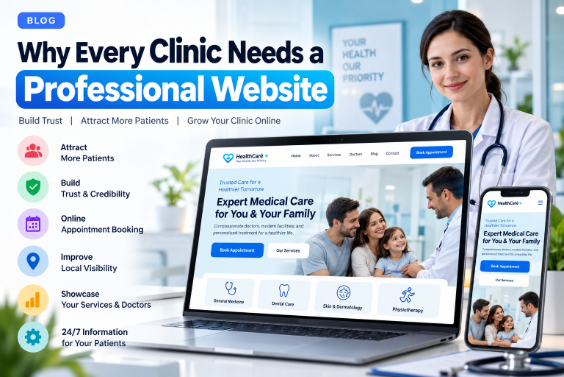
When someone needs healthcare, their first step is often a search. They look for a nearby clinic, check a specialist's credentials, review timings, find a phone number, or request an appointment.
That first impression increasingly happens online — and it shapes whether a patient ever contacts your clinic at all.
A professional website is no longer a digital business card. For a modern clinic, it is the digital front door — the place where patients discover your practice, understand your services, evaluate your doctors, and decide whether to take the next step.
This guide explains, in practical terms, why a professional website matters for clinics of every size — from a single-doctor practice to a multi-specialty hospital — and what separates a genuinely useful clinic website from a decorative one.
What Is a Professional Clinic Website?
A professional clinic website is designed around two things: the needs of the patient and the realities of the clinic's workflow.
At a minimum, it typically includes:
- Clinic name and identity
- Doctors and specialties
- Medical services
- Clinic address and opening hours
- Contact options
- Appointment or enquiry paths
- Patient information
- Frequently asked questions
- Directions
Depending on the practice, it may also support:
- Online appointment booking
- Doctor availability
- Patient registration
- Secure payments
- WhatsApp and CRM integration
- Patient portals
- Digital forms and notifications
- Multi-branch locations
Attractive design alone is not enough. A professional clinic website must answer one question clearly:
"What should I do next?"
1. Patients Search for Healthcare Online
Patients rely on search engines to find local care. Common queries include:
- Dentist near me
- Skin specialist in Mathura
- Physiotherapy clinic near me
- Child specialist in Agra
- Clinic open today
Before contacting a clinic, patients want to know:
- Who is the doctor?
- What services are offered?
- Where is the clinic located?
- What are the timings?
- How can I book an appointment?
A well-structured website answers all of this in one place.
2. A Website Gives Your Clinic Its Own Digital Home
Google Business Profile, Instagram, Facebook, WhatsApp, and healthcare directories are useful channels — but none of them fully replace a website.
A website gives your clinic a central destination where you control:
- Structure and navigation
- Content and services
- Doctor information
- Appointment journeys
- Patient resources
- Brand identity
Social profiles describe your clinic briefly. A website tells the complete story.
3. A Professional Website Builds Digital Trust
Healthcare is a trust-driven industry. Before contacting a clinic, patients want reassurance about who they are dealing with.
A well-built website can clearly present:
- Clinic background
- Verified doctor qualifications
- Services and specialties
- Location and facilities
- Contact and appointment process
Trust is not created by design alone. It is earned through accurate, transparent information — and the absence of inflated claims such as "100% guaranteed treatment" or "No. 1 doctor in the city."
4. Make Your Clinic Easy to Find
A patient should never have to search multiple websites just to find your address.
Your website should clearly display:
- Clinic name
- Full address
- Phone number
- Opening hours
- Location map
- Directions
- Appointment information
For multi-branch clinics, each location should have its own clearly presented details.
5. Convert Visitors into Appointment Enquiries
One of the most practical reasons to build a clinic website is appointment conversion.
Every page should gently guide the visitor toward a clear action:
- Book an appointment
- Call the clinic
- Message on WhatsApp
- Request a callback
- Get directions
The right option depends on how your clinic actually operates. The goal is not to add every possible feature — it is to make the next step obvious.
6. Your Website Works Beyond Clinic Hours
Reception may only be open for part of the day. A website is available 24/7.
A patient visiting your site at 11 PM can still:
- Read about services
- Learn about doctors
- Find the clinic address
- Submit an appointment request
- Access patient resources
The website does not replace your team. It supports them when they are unavailable.
7. Showcase Your Doctors Professionally
Doctor profiles are often among the most-visited pages on a clinic website. A well-structured profile typically includes:
- Doctor name
- Specialization
- Qualifications
- Areas of practice
- Consultation details
- Appointment option
All professional information should be verified by the clinic before publication.
8. Explain Services Properly
Writing "We provide all healthcare services" tells patients nothing.
A strong clinic website gives each major service its own clear section or page, answering:
- What is the service?
- Who provides it?
- Where is it available?
- How does a patient enquire?
- What should a patient know before visiting?
This improves usability for patients and relevance for search engines.
9. Support Local Search Visibility
Most clinic searches carry geographic intent — "physiotherapist in Mathura," "dentist near me," "dermatologist in Agra."
A well-structured clinic website gives search engines clear signals about:
- Clinic location
- Services
- Doctors
- Contact details
- Service areas
Local SEO is not about repeating a city name. It is about providing genuinely useful local information.
10. Publish Educational Content
A health blog or patient education section can help people prepare for appointments and understand their care.
Typical topics include:
- How to prepare for a consultation
- Questions to ask during a visit
- When to schedule a health checkup
- Preparing for a diagnostic test
- What to bring to an appointment
Medical content must be accurate, reviewed, and clearly presented as general information — never as diagnosis or a substitute for professional advice.
11. Answer Common Patient Questions
A clinic website can reduce confusion by answering frequently asked questions:
- What are your clinic timings?
- How can I book an appointment?
- Where is the clinic located?
- Do you accept walk-ins?
- How can I reach the doctor?
This helps patients and also makes information easier for answer-focused search systems to interpret.
12. Improve the Patient Journey
Consider the journey from the patient's point of view:
Search → Website → Services → Doctor → Appointment → Location → Visit
A well-designed website shortens this path. A poorly designed one forces patients to hunt for the phone number.
Good websites reduce friction. That is the whole point.
13. Mobile-Friendly Design Is Essential
Most patients will visit your website on a smartphone. On any device, they should be able to:
- Read the content
- Tap the phone number
- Open directions
- Contact the clinic
- Request an appointment
Without zooming, pinching, or scrolling sideways.
A responsive clinic website adapts cleanly to phones, tablets, laptops, and desktops.
14. Keep Important Actions Easy to Find
Critical actions should never be hidden. Common primary buttons include:
- Book Appointment
- Call Now
- Get Directions
Placed consistently across the hero, doctor pages, contact sections, and mobile header, these create a predictable, trustworthy experience.
15. Strengthen Your Clinic's Brand Identity
A website establishes a consistent visual language: logo, colours, typography, photography, doctor profiles, facility images, and custom icons.
A custom website is built around your clinic's identity — not forced into a generic template.
16. Connect With the Tools You Already Use
A modern clinic website can integrate with:
- CRM software
- Appointment systems
- WhatsApp, email, and SMS
- Payment gateways
- Calendars
- Patient portals
- Analytics and marketing platforms
Example workflow:
Website Enquiry → CRM → Reception Dashboard → Patient Contact
This reduces manual work when designed around real business requirements — and always with attention to privacy and security.
17. Support AEO (Answer Engine Optimization)
AEO means structuring information so that both patients and answer systems can understand it easily.
Instead of burying answers inside long paragraphs, use clear question-and-answer blocks:
How do I book an appointment?
Patients can request an appointment through our online form or by calling the clinic at [phone number].
Where is the clinic located?
Our clinic is located at [verified address].
What services does the clinic provide?
Our clinic provides [verified services].
This structure helps everyone.
18. Support Local Geographic Relevance
For local clinics, geographic clarity matters. A website should clearly communicate:
- Clinic name
- Location
- Services
- Doctors
- Contact details
Local pages should offer genuinely useful, distinct information — not near-duplicate pages for dozens of cities.
19. Own Your Digital Presence
Directories and social platforms help with discovery, but you do not fully control them.
A website gives you control over:
- Content and navigation
- Branding and design
- Services and doctor information
- Appointment flow
- Patient resources
Third-party platforms complement a website. They do not replace it.
20. Make Contact Effortless
Contact information should be immediately accessible:
- Phone
- Address
- Opening hours
- Directions
If a contact form collects personal information, it should request only what is necessary and protect it appropriately.
21. Support Reputation Responsibly
A clinic website can present verified qualifications, services, facilities, and professional information clearly.
If testimonials or reviews are displayed, they must be genuine and compliant with applicable advertising and professional standards. Fabricated reviews damage trust and may breach regulations.
22. Prioritize Accessibility
A healthcare website should be usable by as many people as possible.
Core considerations:
- Readable typography
- Sufficient colour contrast
- Keyboard navigation
- Alt text for images
- Clearly labelled buttons
- Accessible forms
- Logical heading structure
- Reduced-motion support
- Screen-reader-friendly markup
Accessibility is not a checkbox — it directly affects how many patients can use your site.
23. Website Speed Matters
A slow site creates a poor first impression. Optimize:
- Images (modern formats, correct sizing)
- Fonts and CSS
- JavaScript
- Hosting and caching
- Third-party scripts
Lazy-load images below the fold, and avoid unnecessary animations and libraries.
24. Security Is Non-Negotiable in Healthcare
Security matters most when a website collects personal information. Foundational practices include:
- HTTPS
- Secure hosting
- Strong administrator authentication
- Regular software updates
- Secure forms and spam protection
- Regular backups
- Access controls
- Vetted integrations
If a website processes health information, additional regulatory and privacy obligations may apply depending on your jurisdiction.
25. A Website Grows With Your Clinic
A well-built website is not a one-off project — it is a long-term asset. Over time, you can add:
- New doctors
- New services and departments
- New locations
- Appointment systems
- Patient portals
- Articles and resources
This is what turns a website from an advertisement into a durable part of your clinic's operations.
What Should a Professional Clinic Website Include?
- Homepage — a clear overview
- About — clinic background and approach
- Doctors — verified profiles
- Services — detailed service information
- Departments — where relevant
- Appointment — request or booking
- Patient Information — practical guidance
- Blog — reviewed educational content
- FAQ — common patient questions
- Contact — phone, email, location
- Privacy — appropriate policy information
The exact structure should reflect the clinic itself.
What Makes a Clinic Website Professional?
Professional does not mean complicated. It means:
- Clear — patients understand it quickly
- Fast — pages load efficiently
- Responsive — works across devices
- Accessible — usable by diverse visitors
- Accurate — information is current and verified
- Secure — personal data is protected
- Search-friendly — structure is legible to search engines
- Patient-focused — design prioritizes useful information
Clinic Website vs Social Media
Social media is best for: updates, engagement, awareness, community communication.
A website is best for: detailed services, doctor profiles, appointment flows, location, SEO, patient resources.
They work together:
Instagram → Website
Google Search → Website
Google Business Profile → Website
WhatsApp → Website
The website is the central destination.
Clinic Website vs Healthcare Directory
Directories offer exposure. Your website offers control.
A directory typically provides a doctor's name, rating, phone, and short profile. Your website can provide full doctor profiles, services, articles, appointment flows, branch locations, patient resources, and brand identity.
Both have a role — but only one is fully yours.
How Much Does a Clinic Website Cost?
There is no single price. Cost depends on:
- Number of pages
- Custom design
- CMS requirements
- Appointment booking
- CRM integration
- Patient portal
- Payment integration
- Content creation
- SEO
- Hosting and maintenance
A basic informational site is very different from a custom healthcare platform.
When comparing proposals, confirm exactly what is included:
- Design and development
- Hosting and SSL
- SEO setup
- Content
- Appointment system
- Maintenance and support
A lower initial quote is not cheaper if essential features are excluded.
How Long Does It Take to Build a Clinic Website?
A simple clinic site requires significantly less work than a complex platform. A typical process includes:
- Planning — understand the clinic and its patients
- Structure — pages and navigation
- UI/UX — visual and interaction design
- Development — build the website
- Content — verified clinic information
- Testing — mobile, desktop, forms, navigation
- SEO — titles, descriptions, headings, structured data, technical setup
- Launch — deploy
- Maintenance — keep information and software current
Common Mistakes Clinics Should Avoid
- Using a generic template that ignores the clinic's actual identity
- Hiding contact information
- Skipping mobile optimization
- Ignoring site speed
- Leaving doctor information outdated
- Stuffing keywords instead of writing for patients
- Fabricating reviews or testimonials
- Making unsupported medical claims
- Lacking a clear call to action
- Treating accessibility as an afterthought
A Simple Patient Journey for a Clinic Website
Google Search → Clinic Website → Service → Doctor → Patient Information → Appointment → Location → Visit
Every design decision should make this path shorter and clearer.
How a Clinic Website Supports Digital Marketing
A website becomes the anchor for multiple channels:
- Google Search — users discover relevant pages
- Google Business Profile — users find the clinic locally
- Social media — posts direct users to useful content
- Email — campaigns link to services and resources
- WhatsApp — visitors move from the site to direct communication
- Content marketing — articles attract people researching healthcare topics
Each channel becomes stronger when it points to a clear, well-built destination.
Why a Professional Website Is a Long-Term Investment
A website is not only about attracting visitors today. Over time it builds:
- Search visibility
- Useful content
- Brand recognition
- Doctor and service pages
- Patient resources
- Local relevance
Its value grows when it is maintained and continuously improved.
Frequently Asked Questions
Why does a clinic need a website?
A clinic website gives patients a central place to find doctors, services, location, contact options, appointment paths, and useful information.
Can a website help a clinic get patients?
A website supports discovery, communication, and appointment enquiries — especially when combined with SEO and local marketing. It does not guarantee a specific number of patients.
Is a website necessary if a clinic has a Google Business Profile?
A Google Business Profile is useful for local discovery, but a website offers more space and control for detailed services, doctors, patient information, and appointment flows.
Is clinic website SEO important?
SEO helps search engines understand your content and relevance. Results depend on competition, location, content quality, and many other factors.
Should every clinic offer online appointment booking?
Not necessarily. The right approach depends on how the clinic manages appointments. A phone or WhatsApp workflow may be sufficient for some practices.
Can a clinic website rank on Google?
A clinic website can appear in search results when pages are relevant and meet search engine quality and technical requirements. No legitimate provider can guarantee a specific ranking.
Can a clinic website connect to a CRM?
Yes. Websites can integrate with CRMs to manage enquiries, appointments, and workflows, depending on the CRM's capabilities.
Should a clinic have a blog?
A blog can support patient education and answer relevant questions. Medical content must be accurate and appropriately reviewed.
How often should a clinic website be updated?
Update it whenever doctors, services, phone numbers, hours, locations, or appointment procedures change. Perform technical maintenance regularly.
Final Thoughts
A professional clinic website is more than a collection of pages. It is the digital front door of your practice.
When someone searches for your clinic, the website should help them answer:
- Who are you?
- What services do you provide?
- Which doctors are available?
- Where are you located?
- How can I contact you?
- How can I book an appointment?
The strongest clinic websites do not impress visitors with unnecessary complexity. They make healthcare information easier to find, communication easier, appointments easier, and local details clearer.
If your clinic currently relies only on social media, directories, WhatsApp, or a Google Business Profile, a professional website can bring those channels together into one organized, trustworthy experience.
Your Clinic Deserves a Professional Digital Presence
Whether you run a small practice, dental clinic, physiotherapy center, dermatology clinic, diagnostic center, or multi-specialty facility, your website should be designed around your patients and your workflow.
A strong clinic website combines:
- Professional design
- Useful content
- Mobile-friendly experience
- Local SEO
- AEO-friendly answers
- Fast performance
- Security
- Clear appointment options
- Accurate medical information
The goal is not simply to put your clinic online.
The goal is to make your clinic easier to discover, easier to understand, and easier to contact.
Looking for Clinic Website Development?
A professional clinic website can be tailored to your practice. Common features include:
- Custom UI/UX
- Responsive build
- Doctor profiles
- Service and department pages
- Appointment requests and online booking
- WhatsApp integration
- Contact forms and Google Maps
- Healthcare blog and FAQ sections
- SEO-friendly architecture and local SEO foundation
- AEO-friendly content
- Speed optimization
- Hosting and maintenance
- CRM integration
Build a clinic website that puts patients first.